BleachBit, the free open-source system cleaner app for Linux, Windows, and macOS, released new 6.0.5 Beta version a few days ago.
The new version of this popular CCleaner alternative application introduced significant performance improvements, new cleaning support, and various bug-fixes.
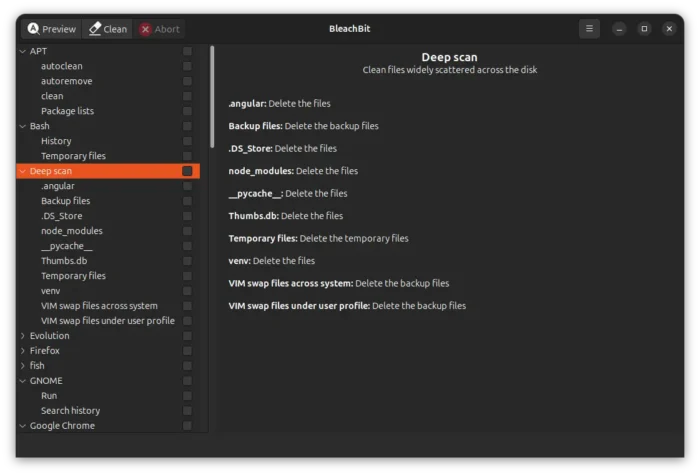
The new 6.0.5 version makes BleachBit noticeably faster. It speeds up processing paths during deep scan, wipes files in 512 KiB blocks instead of 4 KiB, and deletes files by checking each path’s type once instead of several times.
It significantly improved the app startup by scanning off orphaned wipe files in the main thread, delaying initialization of the preferences dialog, and lazy import psutil, minidom, urllib.request on first use instead of at module import.
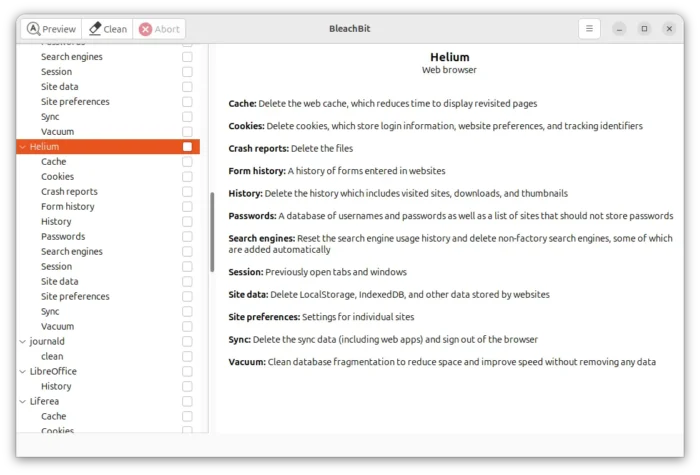
Besides performance improvements, the new version added cleaning support for Helium web browser, Windows and Linux support for the new Docker cleaner, along with a cleaning option for Docker’s AI assistant.
For macOS, it features new Docker Desktop cleaner. It adds cleaners for GIMP, Google Earth, VLC, Zoom, Devin, and Visual Studio Code. As well, it introduced many bug-fixes and macOS 27 Golden Gate support.
On Linux, it can now clean more snap revisions, and clean LibreWolf browser installed as Deb or Flatpak package. It as well fixes building .RPM for openSUSE Leap 16.1, and ‘BleachBit as Administrator’ on Fedora and other Red Hat-based distributions.
For Windows, it disabled executable compression (UPX) for exe, dll, and pyd files. Which reduces false positives with antivirus software, improves application startup, reduces memory usage. However, it takes up 25 MB more space after installation.
Other changes in BleachBit 6.0.5 Beta include:
- Clean more cache and session files in Claude Code.
- Detect CD-ROM.
- Clean more crash reports across many web browsers.
- Fix wiping FAT32 on Windows
The release also includes numerous other fixes and improvements, see the official release note for details.
Get BleachBit 6.0.5 Beta
BleachBit provides official packages for Windows and Linux, along with the source tarball they are available to download in the link below:
Download BleachBit 6.0.5 via Github Releases | SourceForge | BleachBit.org
While the macOS support is experimental, and it’s available in this page.