Opera, the popular Chromium based web browser, released new stable 137 version last night.
The new version of this multi-platform browser introduced some new features, including the long-requested per-window vertical tab state, and various bug-fixes.
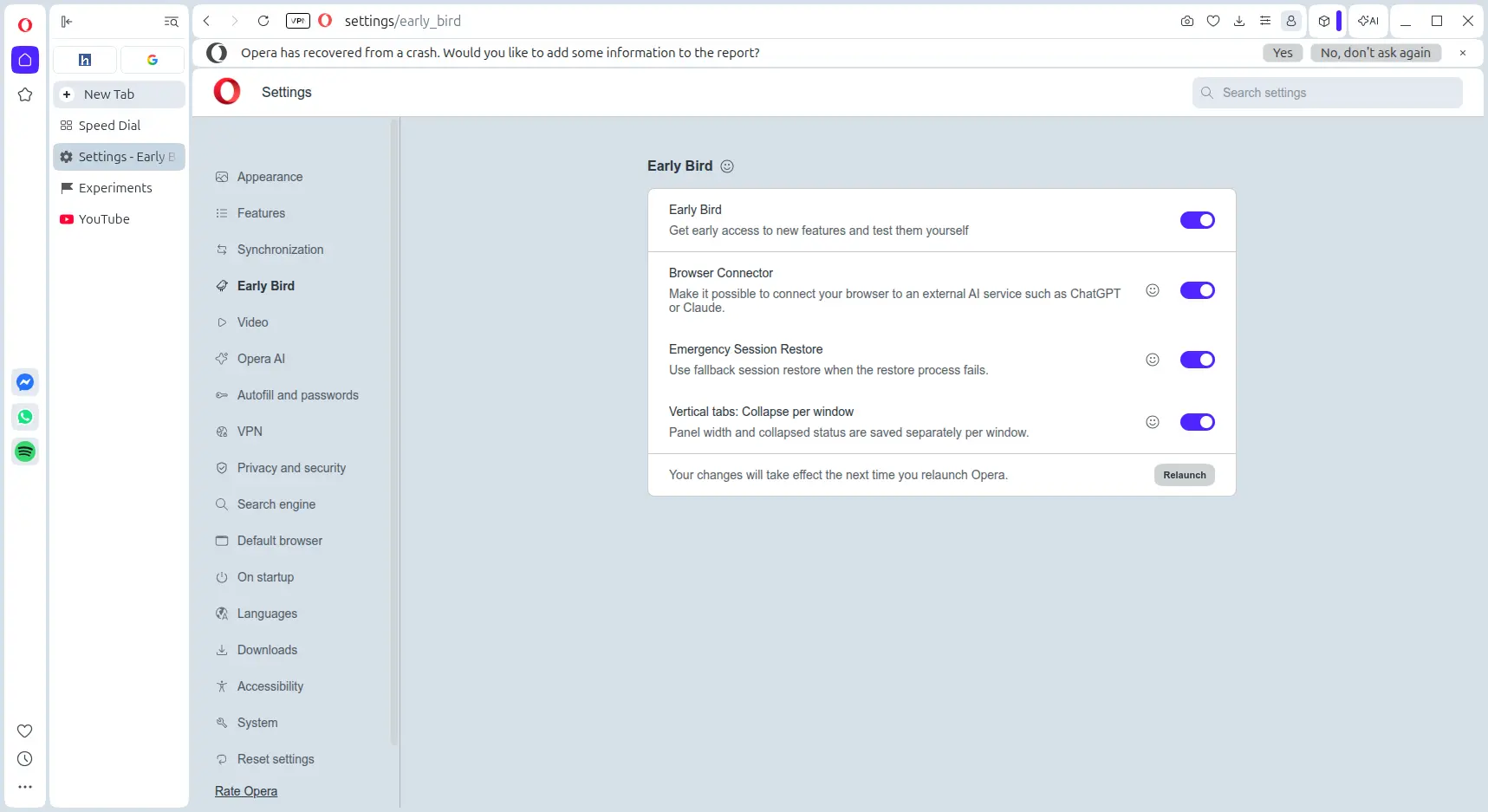
With Early Bird, the function to get early access to new features, it now has #vertical-tabs-collapse-per-window enabled. In the case, it will save the vertical tab width and collapsed status separately on per window basis, instead of always have same tab state across windows.
It also has #emergency-session-restore enabled, which has several safer recovery fallbacks when normal session restore is interrupted or fails, thus it’s much less likely to lose tabs after a crash.
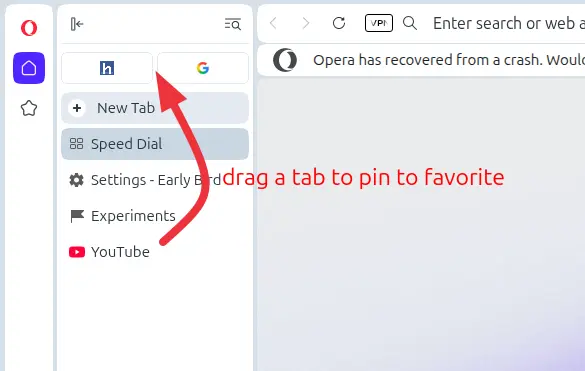
Opera 137 now has #vertical-tabs-drag-to-pin enabled by default. Meaning user can simply drag and drop a tab to the top of vertical tab strip to pin it as favorite.
The release also enables #opera-one-react-settings by default, which rebuilt the settings page with React, though there’s no visible difference for average uses.
For Linux, VP9 and AV1 decoding now works in Snap build. And, it fixed several crashes as well as websites reacting issue on touch screens.
Other changes in Opera 137 include:
- Add context menu option to switch “New Tab” position.
- Add top bar to extension side panel.
- Add preference for changing new tab order.
- Enable
#side-panel-full-apion all streams - New feature flag
#vertical-tabs-autohide, though I didn’t see the vertical tab hide automatically with it enabled. - Update Chromium to 153.0.8010.55.
For more about this browser release, see the official announcement.
Get Opera 137
Opera provides official packages for Linux, Windows, macOS, iOS, Android and other platforms, which are available to download via the link below:
For Linux, besides the official packages in the link above, there are also Snap package available to install in Ubuntu’s App Center (or Ubuntu Software for 22.04/20.4), and community maintained Flatpak package that runs in sandbox.