NVIDIA 615, the latest feature branch driver for Linux, is finally made into official Ubuntu repository for Ubuntu 26.04, Ubuntu 24.04, and Ubuntu 22.04.
The NVIDIA 615 driver (615.71.09) was released almost a month ago with better Linux gaming and memory management and various Wayland and Blackwell GPUs related bug-fixes.
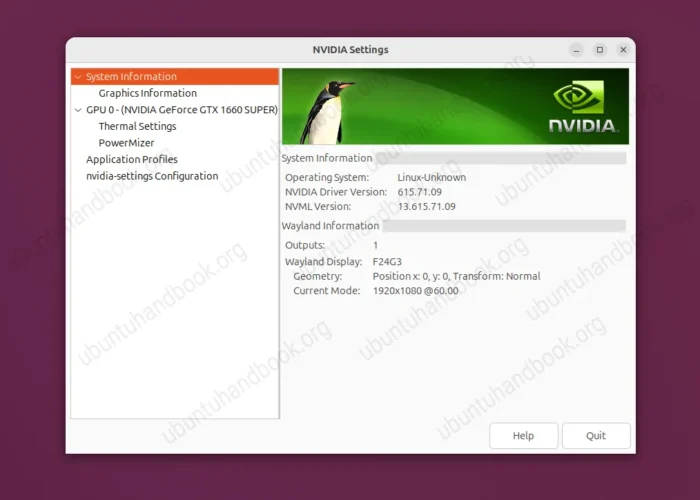
The new driver enables out-of-the-box NVIDIA Reflex support, the technology for reducing game input-to-display latency for Windows Vulkan-based games running on Linux through Valve’s Proton compatibility layer.
It provides a more efficient way to build and use acceleration structures for ray tracing. And, it supports kernel’s cgroups mechanism to divide and control memory resources between groups of processes.
It as well introduces a new kernel-module option that may reduce idle power consumption with multiple monitors, which however may cause occasional display glitches.
For Blackwell GPUs (GeForce RTX 50-series and RTX PRO Blackwell series), it fixed visual artifacts when GPU display scaling is enabled, Xid 109 GPU error when loading PRAGMATA on Wayland, and, Vulkan low-latency feature didn’t work for games on Wayland.
For more about NVIDIA 615.71.09, see the official release highlights.
Install NVIDIA 615 in Ubuntu
NVIDIA provides an official repository that provides most recent driver packages for Ubuntu.
However, it’s always recommended to install NVIDIA driver from Ubuntu’s official repositories, because it includes Ubuntu specific patches and has been tested (for weeks) before being made available.
NOTE: NVIDIA 615 driver is available in Ubuntu’s multiverse repository, meaning NOT supported by Canonical, the company behind Ubuntu.
Now, in Ubuntu 26.04, Ubuntu 24.04, and Ubuntu 22.04, you can first refresh cache via either “Software Updater” or sudo apt update command, then launch Additional Drivers to install NVIDIA 615 driver:
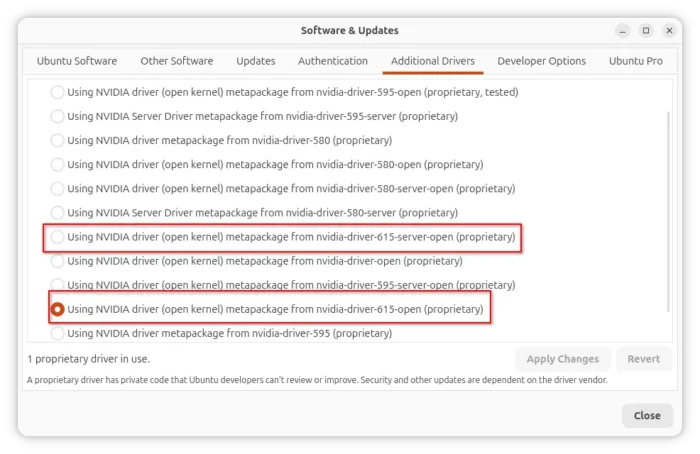
or, run command below to install the driver from terminal:
sudo ubuntu-drivers install nvidia:615-open
For server and/or computing use, use this one instead:
sudo ubuntu-drivers install -gpgpu nvidia:615-server-open
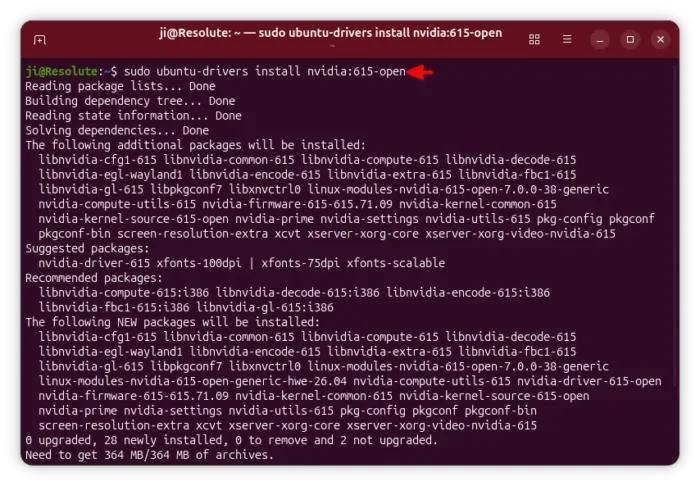
If the driver packages are not found, then make sure you have the restricted and multiverse repositories enabled and refresh cache.