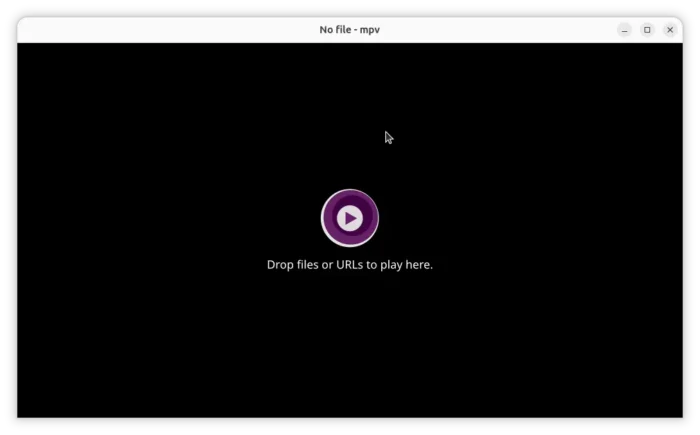
MPV, the popular command line media player, released new 0.42 version today after nearly a year of development.
The new version of this free open-source player added context menu support, improved DVD playback, introduced FRC filter for AMD GPU, and fixed various issues.
MPV 0.42.0 now supports DVD audio playback, and direct playback of .iso images of DVD-Video, DVD-Audio and Blu-ray discs.
In addition to DVD video/audio playback, it can also navigate DVD and Blu-ray disc menus, including both traditional Blu-ray menus (HDMV) and Java-based menus (BD-J).
For Linux, MPV now integrates better with Wayland desktop session.
The Vulkan rendering backend for Wayland now supports handling the display’s color bit depth. OpenGL rendering backend can now communicate its preferred color space to the Wayland compositor.
It improves HDR color-management support on Wayland, by adding BT.2100 color-space mapping, communicating display luminance information to the compositor, and, allowing gpu-next to set output color properties directly through the Wayland protocol.
As well, it adds the scRGB color space support, and prioritizes its DMA-BUF Wayland video output backend when selecting a video output automatically.
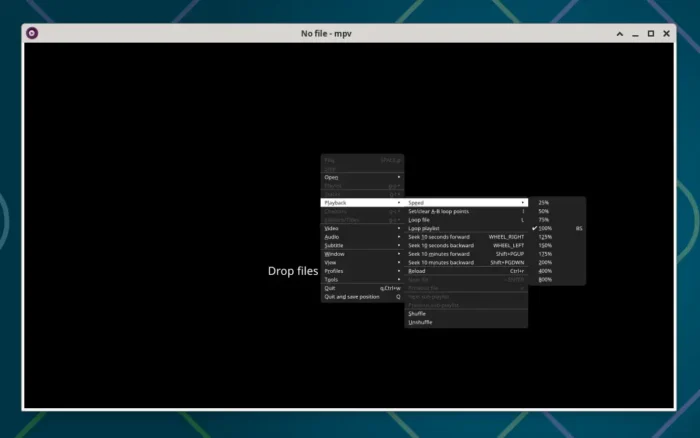
MPV 0.42.0 now supports right-click context menu. Meaning, you can now right-click on the video player to get a pop-up menu, to control the playback, video/audio output, subtitles, and various other options.
The menu items are configurable through the menu.conf file under ~/.config/mpv (or other locations for Windows and mac). And, here’s an example to get started.
And for AMD GPUs, it now supports Frame Rate Conversion filter (through --vf=amf_frc). It improves the video playback experience by using your GPU hardware to increase the video frame rate (for example convert 30 fps video content to 60fps or higher).
Other changes include:
- Support SRV3 YouTube subtitles.
- libcurl network-handling backend.
- Direct3D 11 (D3D11) rendering backend support in libmpv.
- Dolby Vision Profile 7 enhancement layer support in gpu-next.
For more about MPV 0.42.0, see the release note in Github.
How to Install MPV 0.42.0:
MPV provides official packages for Windows and macOS, but based on the lastest commit. Along with community packages, they are available in mpv website via the link below:
For Linux, besides waiting for your distribution updates, there are some community packages available.
They include Flatpak package for most Linux, Snap package for Ubuntu, though both are not updated at the moment of writing.
For Debian, the Deb Multimedia repository has been updated with MPV 0.42.0 for Unstable.
And, I’m building MPV 0.42.0 into this unofficial PPA for Ubuntu 24.04, Ubuntu 26.04 and 26.10. (Please be patient. The build farm seems to be experiencing issues, and building processes are taking longer than usual.)