


For users who prefer the classic Gnome Screenshot tool, there’s now an extension to make it work again in Ubuntu 26.04/25.10, Fedora Workstation 43/44, and other Linux distributions with GNOME 49 or 50.
Gnome Screenshot was the default tool to take screenshots in Gnome desktop environment since 2011. It’s also the default screenshot tool in Linux Mint 21/22 Cinnamon.
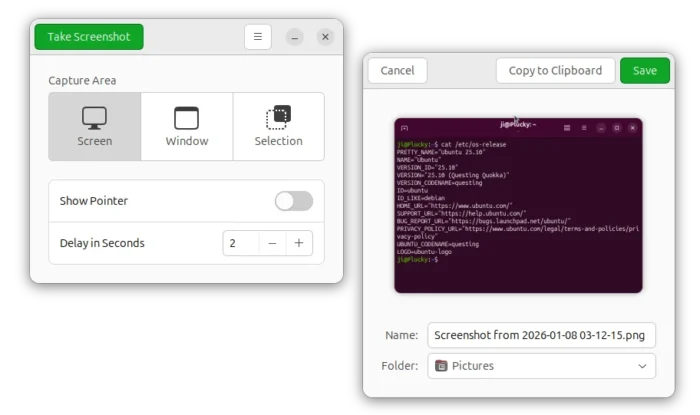
The classic Gnome Screenshot tool
Since Gnome 42 introduced a built-in screenshot/screencast UI, Gnome Screenshot is no longer actively maintained, though it’s still available in system repositories for the most popular Linux distributions, e.g., Arch, Debian, Fedora, OpenSUSE, and Ubuntu.
It works good in current Ubuntu 22.04/24.04 with Gnome 42/46 on Xorg or Wayland. But for 25.10 and other Linux with Gnome 49, it stops working and either crashes or shows error when trying to take screenshots.
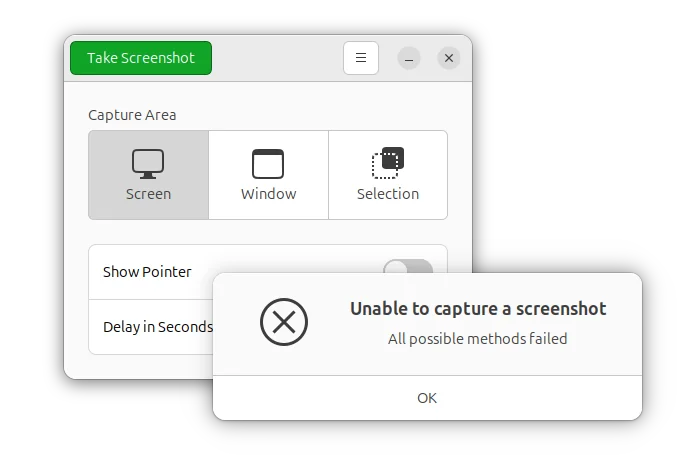
Gnome Screenshot stop working in Gnome since 49
The reason is that Gnome since version 49 removed Xorg support, and the Wayland session requires applications to use specific protocols for screen access, but Gnome Screenshot still uses the old Xorg protocol.
It works in old Gnome on Wayland because it’s previously treated as same to the built-in UI, with ability to access to the private screenshotting API. And, Gnome 49 removed this special treatment.
It was removed from core after we got a built-in screenshot UI in the shell, and is mostly unmaintained nowadays.
There is no good reason anymore for treating it differently than other 3rd-party screenshot tools, so stop giving it default access to the private screenshotting API.
The built-in screenshot UI is great, but it lacks support with time delay! Besides using other applications (e.g., flameshot), there’s now a super simple extension to restore Gnome Screenshot in the allow-list to access to the private screenshotting API.
Install the Extension to Make Gnome Screenshot Work Again
Tips: Gnome Screenshot is not pre-installed anymore, you need to install it first from either App Center or Gnome Software, or by running the command below in terminal:
sudo apt install gnome-screenshot
For Ubuntu 26.04 or 25.10, first launch App Center, then search & install Extension Manager tool.
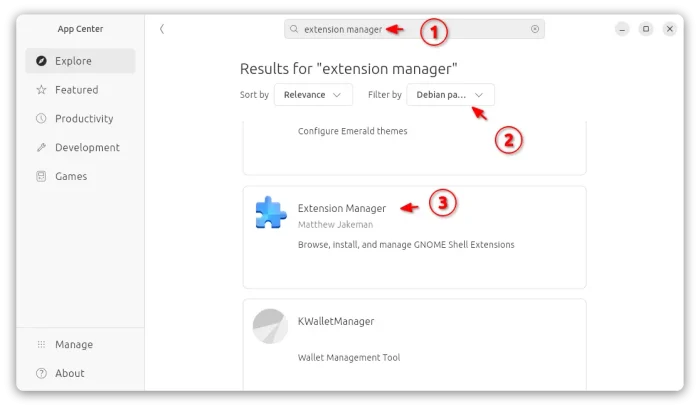
Then, launch Extension Manager, navigate to Browse tab, finally search & install “Allow gnome-screenshot” extension.
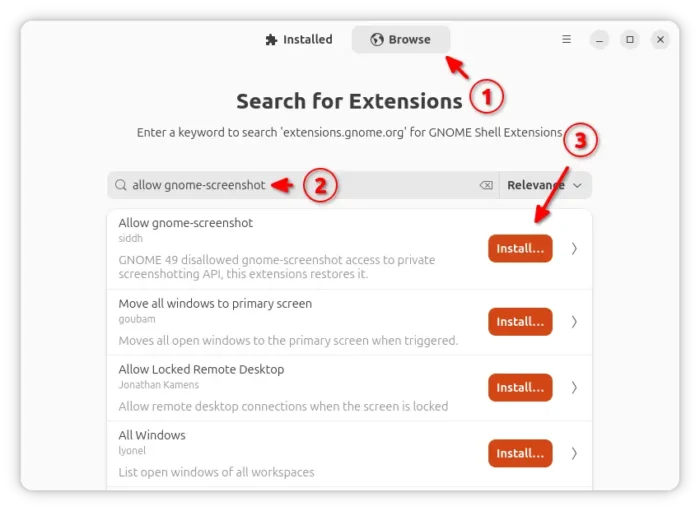
Or, simply visit the extension page in EGO via the link below:
Then, use the ON/OFF toggle to install it, though you need to install browser extension (if prompts) first and refresh. And, Ubuntu needs to install agent package first via command:
sudo apt install chrome-gnome-shell
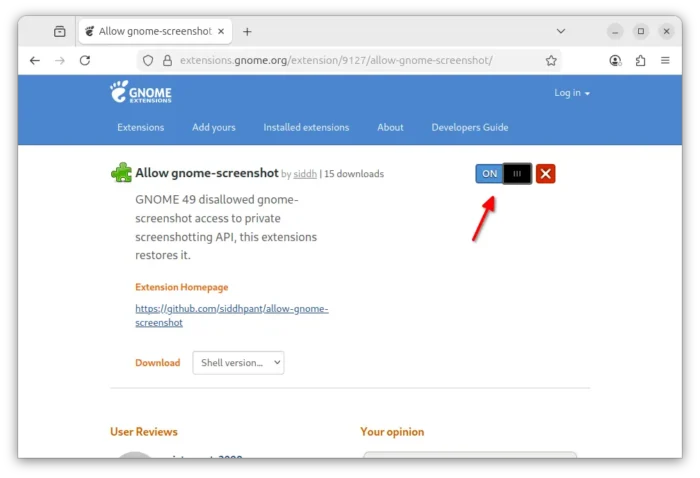
After installation, launch or re-launch Gnome screenshot, and it should work again without any other actions.















Worked like a charm – thanks for posting!