
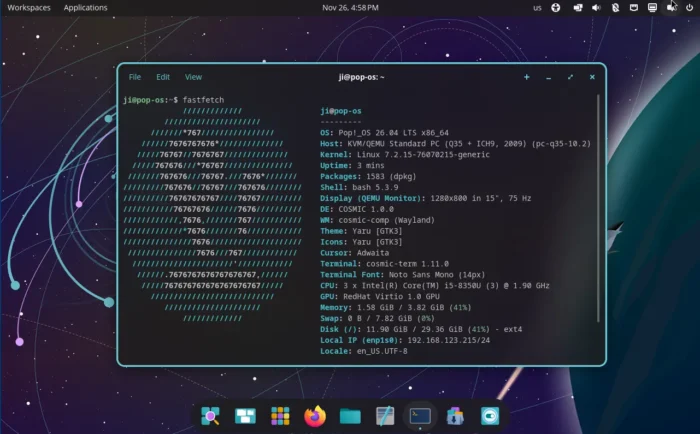
Pop!_OS, the Linux Distribution developed by System 76, an American computer manufacturer, released the 26.04 LTS a few days ago!
The new version is based on Ubuntu 26.04 LTS, and so far features Kernel 7.2 and COSMIC Epoch 1.11 desktop, though the download page says COSMIC Epoch 1.12.
Pop!_OS 26.04 introduces a feature similar to KDE Plasma’s Global Themes, called Constellations.
By going to Settings -> Desktop -> Appearance, you can change a set of appearance settings with a single click, including wallpaper, accent color, font and icons, panel and window style.
Each theme set is editable, so you can create “custom global theme” by customizing the wallpaper, fonts, icons, and window styles.
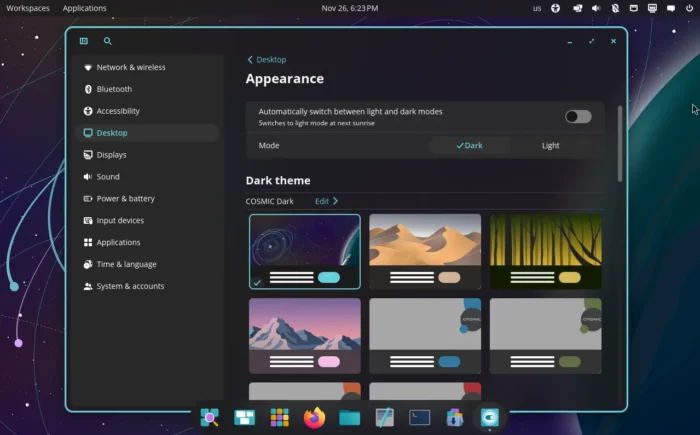
“global theme”
The release also improves touch devices support. It adds an on-screen keyboard with touch and gamepad input, as well as drawing tablet support that’s useful for graphic design, photo editing, CAD etc applications.
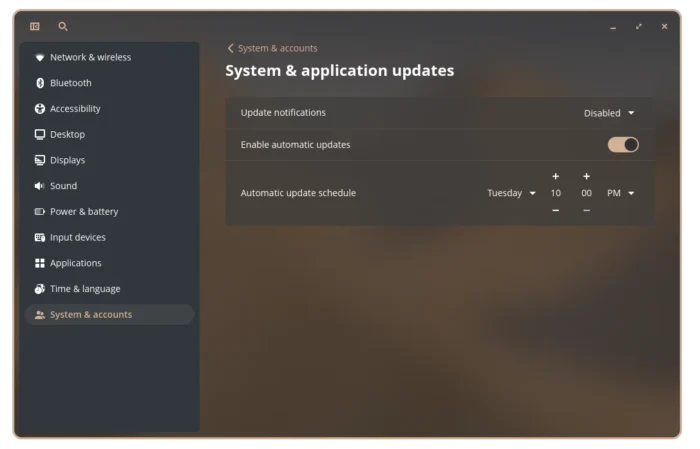
It now provides an Enable Automatic Updates setting, along with an update scheduling option, allowing to choose the day of the week and time to install updates.
Other changes in Pop!_OS 26.04 include:
- New core image viewer, system monitor, and USB flashing apps.
- Remote desktop support.
- Frosted glass effect.
- VRR display setting option for supported devices.
- Export and import support for Constellations (the global themes).
It as well features Mesa 26.2.3, Wayland 1.26, NVIDIA driver 595.104.02. See the official release note for more.
Download Pop!_OS 26.04
Pop!_OS 26.04 LTS is available to download in its website via the link below:
For smooth experience, it recommends 4 GB RAM, 16 GB storage, and a modern 64-bit Intel/AMD processor. And, for computer with NVIDIA GPU, it needs GTK 16 series graphics or newer.
Without doing a fresh install, Pop!_OS 24.04 can upgrade to the new release, though the upgrade channel is scheduled to launch in December.
For Ubuntu users who want to try out the Pop!_OS, simply install the COSMIC desktop environment through this PPA by running the commands below one by one:
sudo add-apt-repository ppa:hepp3n/cosmic-epoch
sudo apt update
sudo apt install cosmic-desktop
It so far supports Ubuntu 26.04 and Ubuntu 26.10. And, I’ve written a step by step guide about how to install/uninstall the desktop.