
SuperTux, the classic 2D jump and run game, released new 0.7.0.1 (and 0.7.0.2 with a hot-fix for Android) version today.
The new version of this game fixes a security vulnerability for Linux, macOS, and other *nix systems. It’s HIGHLY recommended to upgrade, even if you don’t download and install third-party add-ons.

The previous versions used open_path() to open paths via the system() call. If path contains shell-special characters, an attacker may be able to execute arbitrary commands.
open_path() attempts to open a path by using the
systemcall. As such, it’s possible to create a worldmap with a levelname like “tests$(notify-send hi)” and well… I won’t spill the rest. The “Open Level Directory” option is known to run this in particular.
As far as I can tell, versions 6.0 to 7.0 appear to be affected, unless your distribution has already patched the package.
Even if you don’t download third-party add-ons and only play the game offline, the vulnerability can still be triggered by opening a specially crafted local file. So, it’s better to install or upgrade to the new version.
In addition, SuperTux 0.7.0.1 also includes several minor fixes. It fixes that when failed to load a custom title screen level, the game would crash instead of fallback to the default title screen level.
Other changes include:
- Fix linting errors that cause the CI workflow to fail.
- Fix WebAssembly (WASM) compilation.
- Fix Android build.
- Use vcpkg for managing dependencies in Intel Mac.
For more about the release, see the commits in source project page.
How to Get SuperTux 0.7.0.1 (0.7.0.2)
SuperTux provides official packages for Linux, Windows, macOS, and Android. They are available to download under “Assets” section in the link below:
https://github.com/SuperTux/supertux/releases
For Linux, either select download the AppImage, add executable permission from file properties, finally run to launch the game.
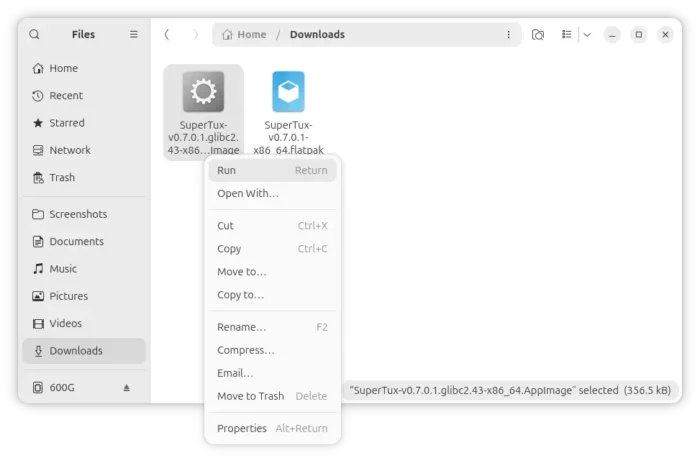
Or, download the Flatpak package and install by running command (assume you saved in Downloads folder):
flatpak install ~/Downloads/SuperTux-v0.7.0.1-x86_64.flatpak