Shotcut video editor 26.11 is finally available to download after two weeks of beta testing.
The new version of this free open-source cross-platform video editor introduced a new Audio Mixing Assistant tool, which can be launched from “Timeline Menu -> Edit” menu.
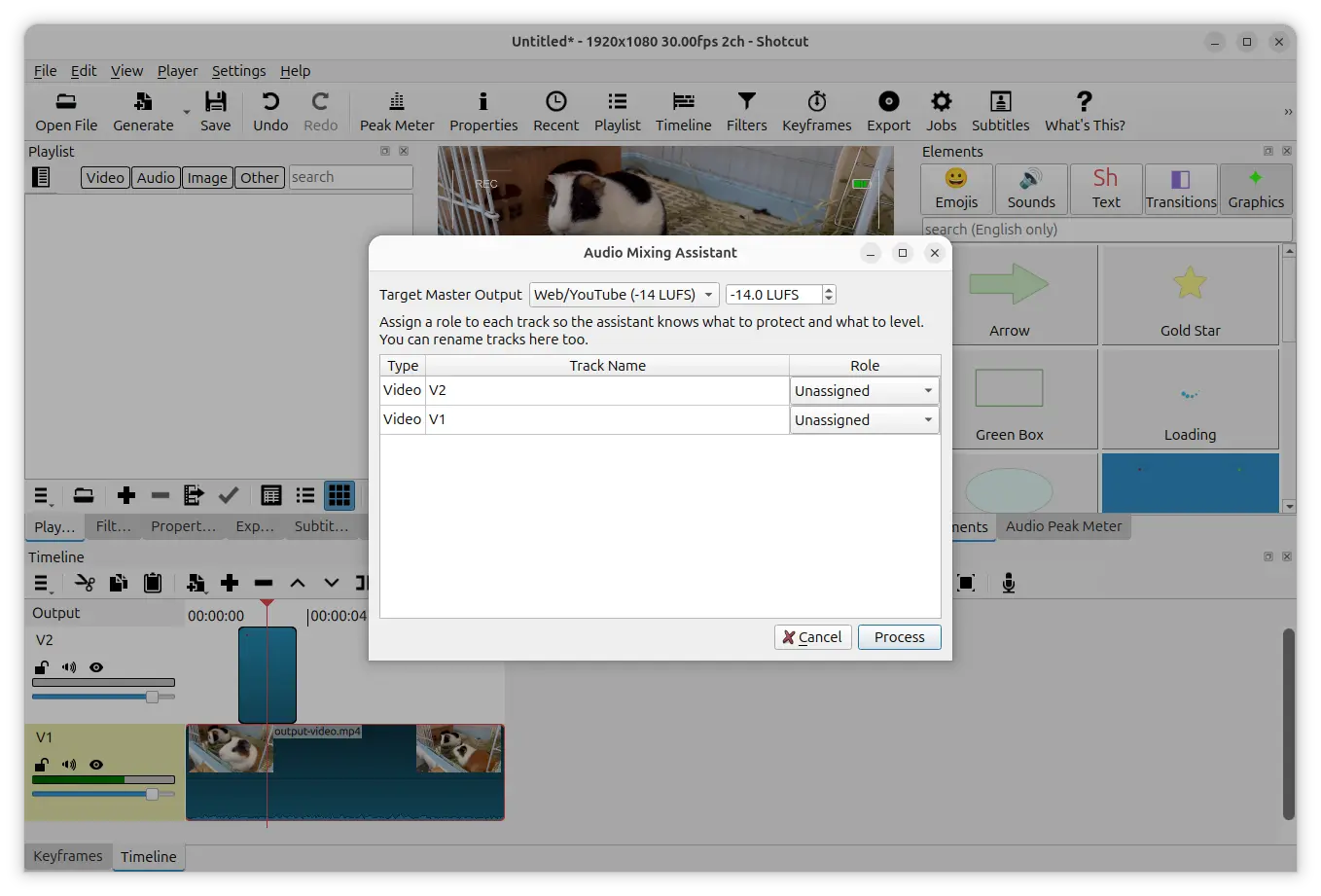
To start, assign an audio role to each track: Dialogue, Background Music, Sound Effects, or Ambience.
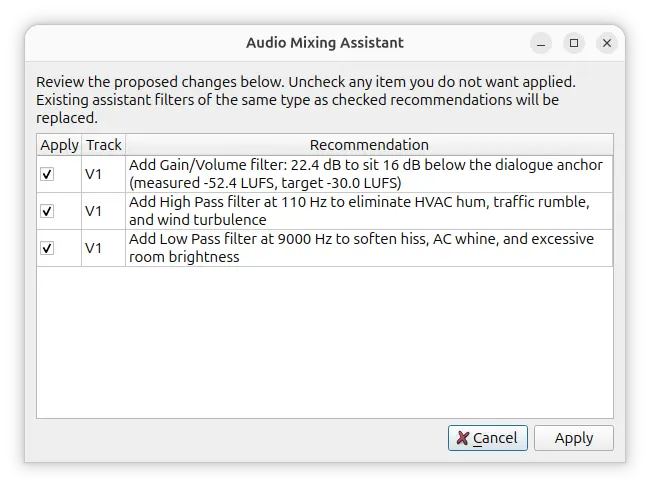
Then, it scans the audio on all tracks and recommends filters for individual tracks based on the assigned roles and audio analysis.
You can review the suggested filters and choose which ones to apply. And, a single undo action can revert the operation even when multiple filters applied.
If you run the assistant again, it removes the previously assistant-created filters first and generates new recommendations.
Besides the new Audio Mixing Assistant, Shotcut 26.11 also includes many improvements.
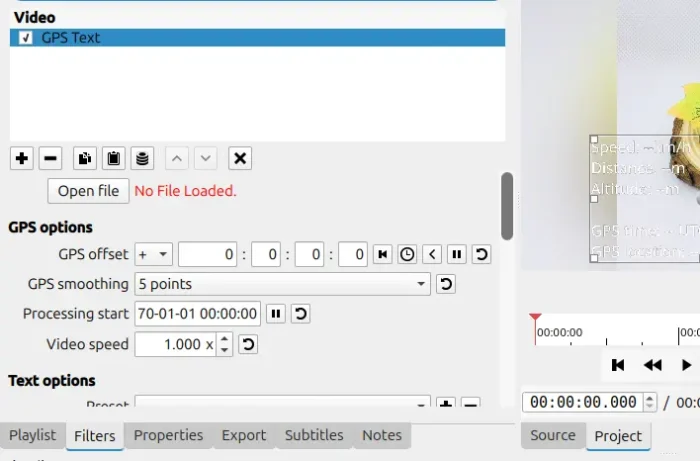
The GPS filters can now read GPS information from command text files, including log files generated by dashcams. It now automatically finds and loads a GPS data file that has the same filename as the video being edited.
And, the GPS Text Filter now supports decimal values for the X argument of datetime keywords, allowing users to display date and time information with fractional values.
The experimental add-on filter UI generator, that’s introduced in version 26.6, can now create controls for rectangle-shaped parameters, including a visual control allows to adjust a rectangle directly in the video preview.
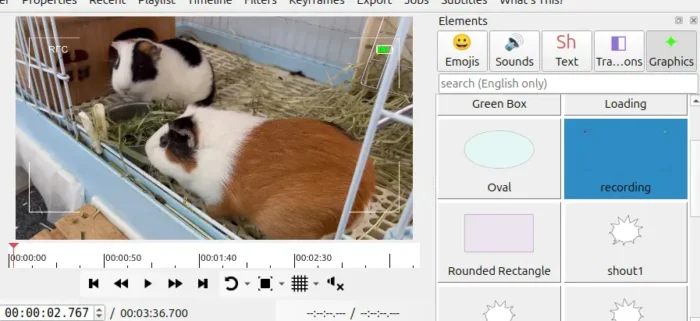
The Elements widget, introduced in 26.7.30, has been updated with search support. And, it includes a new “recording” animation under Graphics tab. Like a camera’s screen or electronic viewfinder while recording, it displays an animated camcorder recording HUD.
Shotcut can now automatically recognize proxy files created via Adobe Premiere Pro and DaVinci Resolve’s file-naming and folder conventions. So, you can easily work with the proxy files generated by the two video editors without manually locating and associating those files with their original videos.
Other changes in Shotcut 26.11 include:
- Add “Rounded Corners” and “Sync Zoom With Keyframes” to Settings -> Timeline menu.
- Add “Remove Old Program Files” option to the Windows installer.
- Various performance improvements and bug-fixes.
Get Shotcut 26.11
The official release note, installer packages for Linux, Windows, macOS, as well as the source tarball are available in Github via the link below:
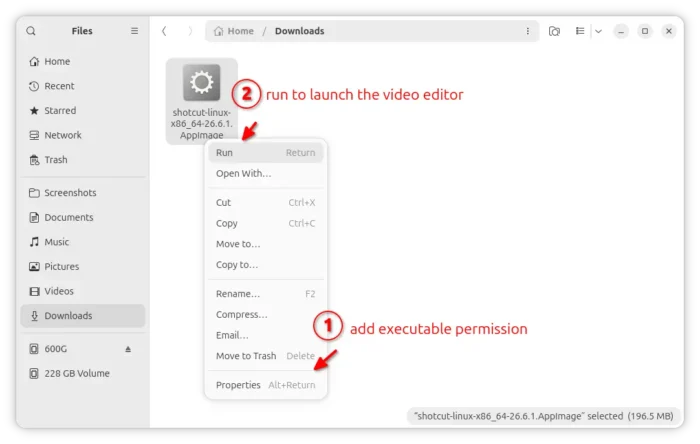
For Linux, select download the AppImage (modern Intel/AMD only), add executable permission from the file Properties dialog, finally click Run to launch the video editor.
Ubuntu may also search & install the Snap package from App Center (or Ubuntu Software). And, an official Flatpak package is also available for most Linux distributions by running in sandbox environment.
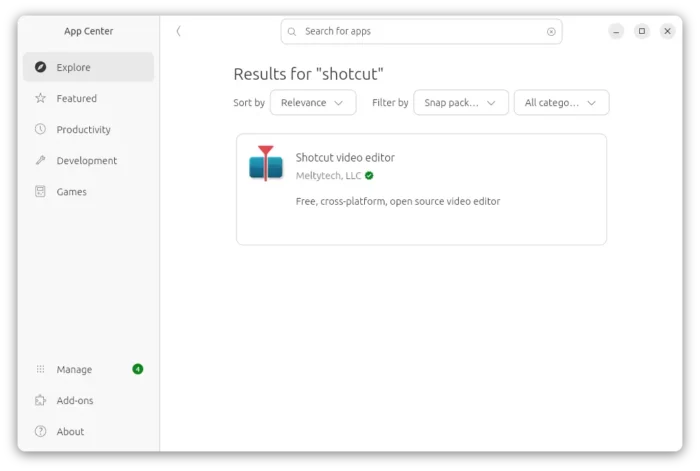
shotcut snap packages in Ubuntu App Center