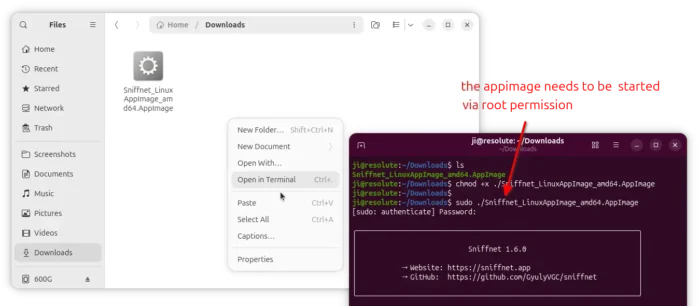
Sniffnet, the network traffic monitoring tool, released new 1.6.0 version yesterday.
The new version of this free open-source software adds support network monitoring for remote host/server by collecting IPFIX flow records.
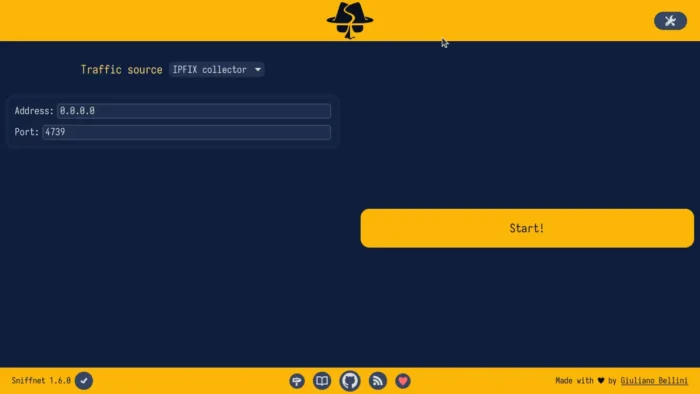
If you have a remote device that supports IPFIX export or have suitable software configured to export IPFIX records, Sniffnet can now receive the records and display the network traffic information.
Just configure the remote host to export IPFIX flow to the IP address and UDP port of the local machine running Sniffnet, then choose “IPFIX collector” as traffic source in the local app. It then monitors the remote network traffic with existing interface.
Sniffnet 1.6.0 now supports IGMP traffic, allowing users to identify IGMP connections and inspect different IGMP message types.
It also adds support for displaying VLAN IDs (IEEE 802.1Q) for tagged network connections, both when capturing packets directly or reading PCAP files and when collecting IPFIX flow records.
In addition to display the total traffic, the release now supports viewing current network data rates. Meaning, you can now view real-time traffic speeds for individual connections, services, and programs, in addition to overall network traffic.
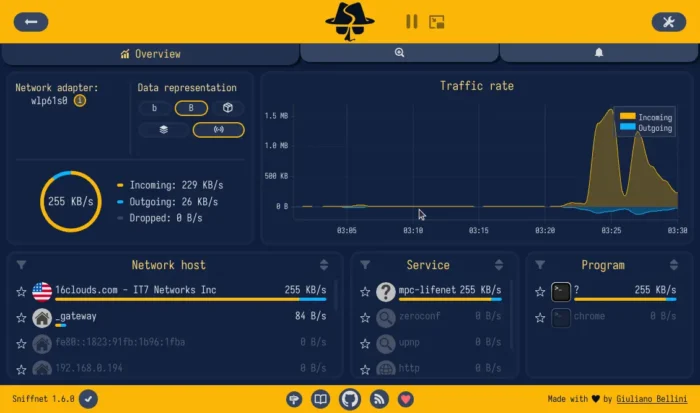
The 1.6.0 release as well introduced expanded view in General settings. It hides the bottom bar and makes the header slimmer, allowing users to focus on what matters most.
Other changes include:
- Add service taxonomy that groups more than 6000 known network services into 20 categories.
- New Albanian translation.
- Move Sniffnet wiki to sniffnet.app/wiki.
- Several fixes and translation updates.
How to Get Sniffnet 1.6.0
The official release note as well as the installer packages for Linux, Windows, and macOS are available in Github project page via the link below:
For Linux, either choose DEB for Debian, Ubuntu, Linux Mint, RPM for Fedora/RHEL based distributions.
Or select download the AppImage that works in most Linux without installation. Though, it requires root permission.