
Rhythmbox, the default music player in Ubuntu (Extended selection), released new 3.5.0 version today.
The new version of this free open-source GTK3 music player finally switched the audio playback backend from xfade to multistream.
Multistream offers the same features as xfade, but with much less complexity, as it runs a separate pipeline instance for each stream rather than mixing them.
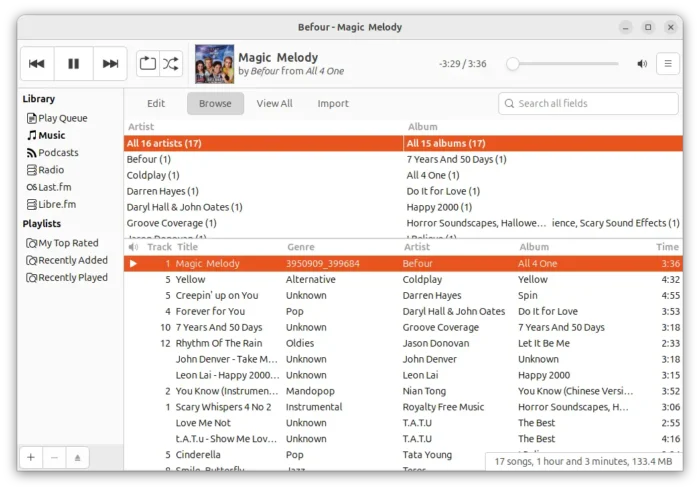
Rhythmbox Music Player
Rhythmbox used to use xfade as audio playback backend, which handles multiple tracks with one audio pipeline that mix them together.
This was necessary, because many Linux users didn’t run a sound server years ago, and, applications often wrote directly to the sound hardware.
Nowadays, nearly every Linux desktop routes audio through a sound server such as PipeWire and PulseAudio. And, modern sound servers do much better job of mixing streams than the xfade pipeline did.
So, Rhythmbox now uses multisteam as default backend for simpler code, easier maintenance, and better compatibility with modern Linux sound servers.
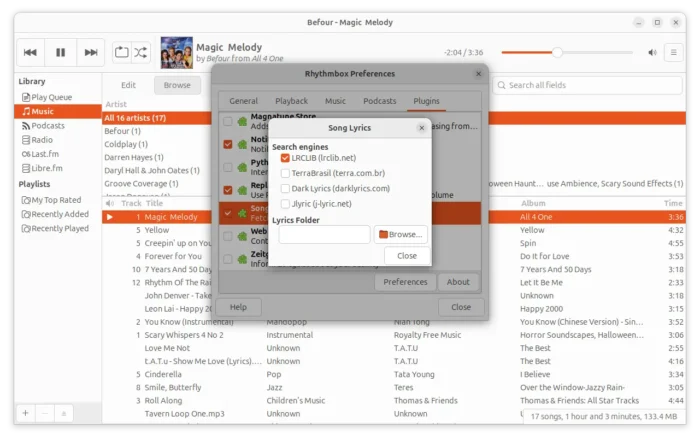
The new 3.5.0 version also improved lyrics support. It now supports reading lyrics from external ‘sidecar’ .lrc files stored beside the audio files, and, supports embedded lyrics in ogg files though it needs gstreamer 1.25.90 or higher.
The Song Lyrics plugin has been updated with support for fetching lyrics from lrclib.net, and, it’s now the default lyrics search.
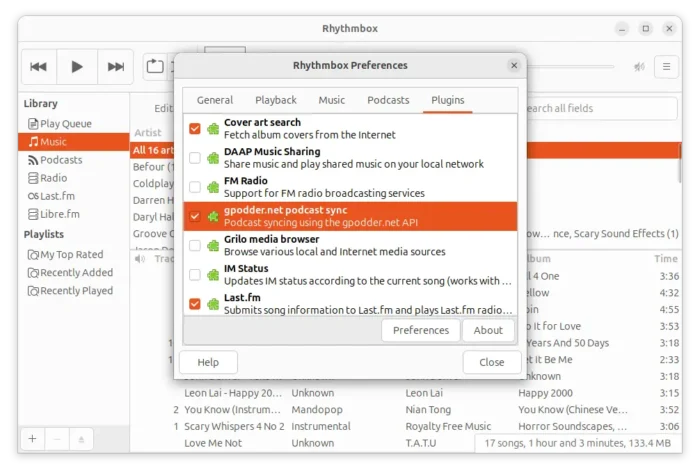
The music player now supports the gpodder.net API, allowing to sync subscriptions and play counts across multiple podcast clients using any server that implements the gpodder.net/mygpo API, including the public gpodder.net service and compatible self-hosted alternatives like oPodSync. However, the Nextcloud gpodder app is not compatible at the moment.
As GNOME switched to new default video player, Rhythmbox now handles resolving itunes podcast URLs directly parsing the JSON returned by the iTunes Search API with a proper JSON parser, instead of using the totem playlist parser library
Other changes include:
- Added support for title sort orders.
- Reworked feed update process.
- Redesigned display of podcast episodes, including a playing column to indicate which episodes have been played.
- New and updated translations.
- Fixed year 2038 problem.
For more about the new 3.5.0 release, see the official NEWS file in source page.
Get Rhythmbox
Besides waiting for your distribution update or building from the source code, Rhythmbox can be easily installed in most Linux through the Flatpak package.
Linux Mint user may search & install the package from Software Manager after enabled unverified Flatpaks in its preferences.
While, Debian and Ubuntu may run the commands below one by one to install the package:
sudo apt install flatpak
flatpak install https://dl.flathub.org/repo/appstream/org.gnome.Rhythmbox3.flatpakref
After that, either run flatpak run org.gnome.Rhythmbox3 to start the player from terminal, or log out and back in to apply environment change if the app icon is not visible.