GNOME Document Viewer, aka Papers, released new 51 Beta version one day ago.
The new version of this GNOME core application for reading PDF / DejaVu documents as well as Comic Books archives introduced visual signature support.
Visual signatures is less secure than digital signatures, as someone can simply copy and paste the image into another document, but they are still widely accepted or required (e.g. in administrative documents).
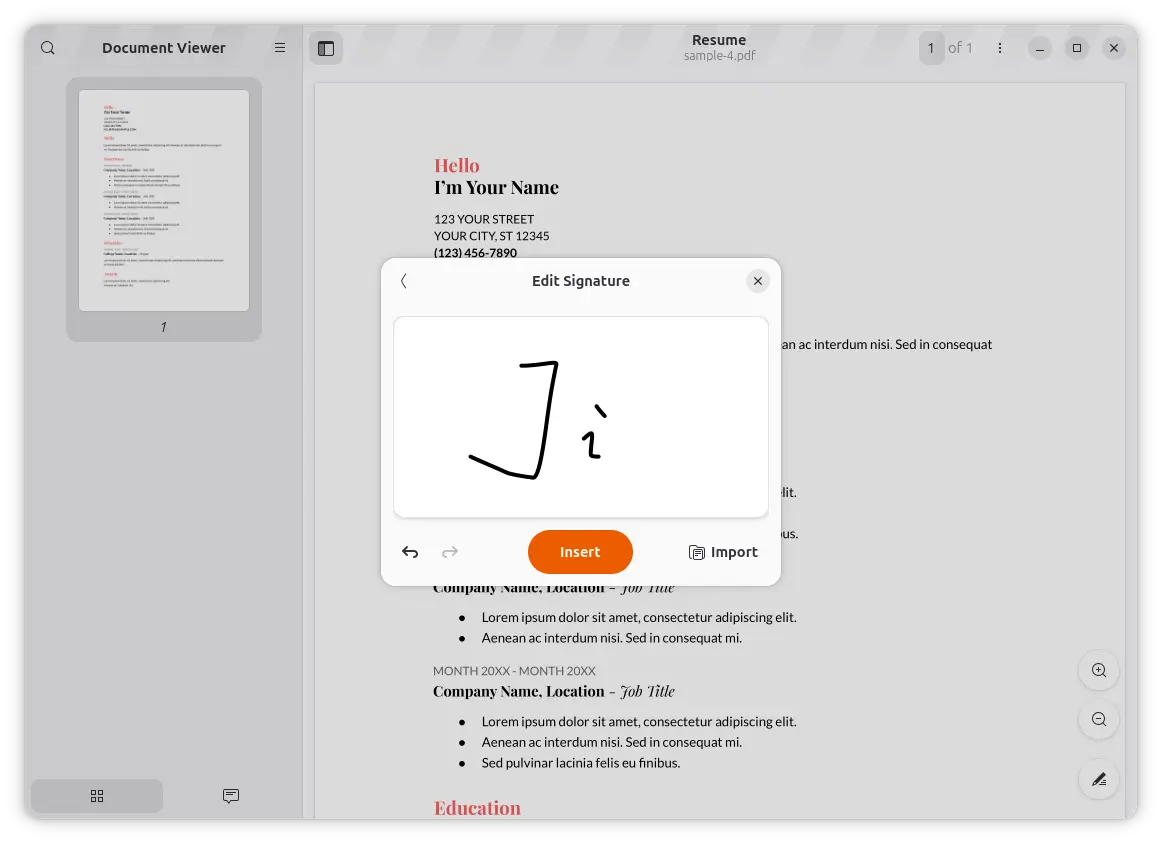
With this Beta, user can either go to the top-right hamburger menu (⋮) and click new “Manage Signatures” option, or right-click on any area in your PDF page and select “Add Visual Signature” option to get the new add/manage signature dialog.
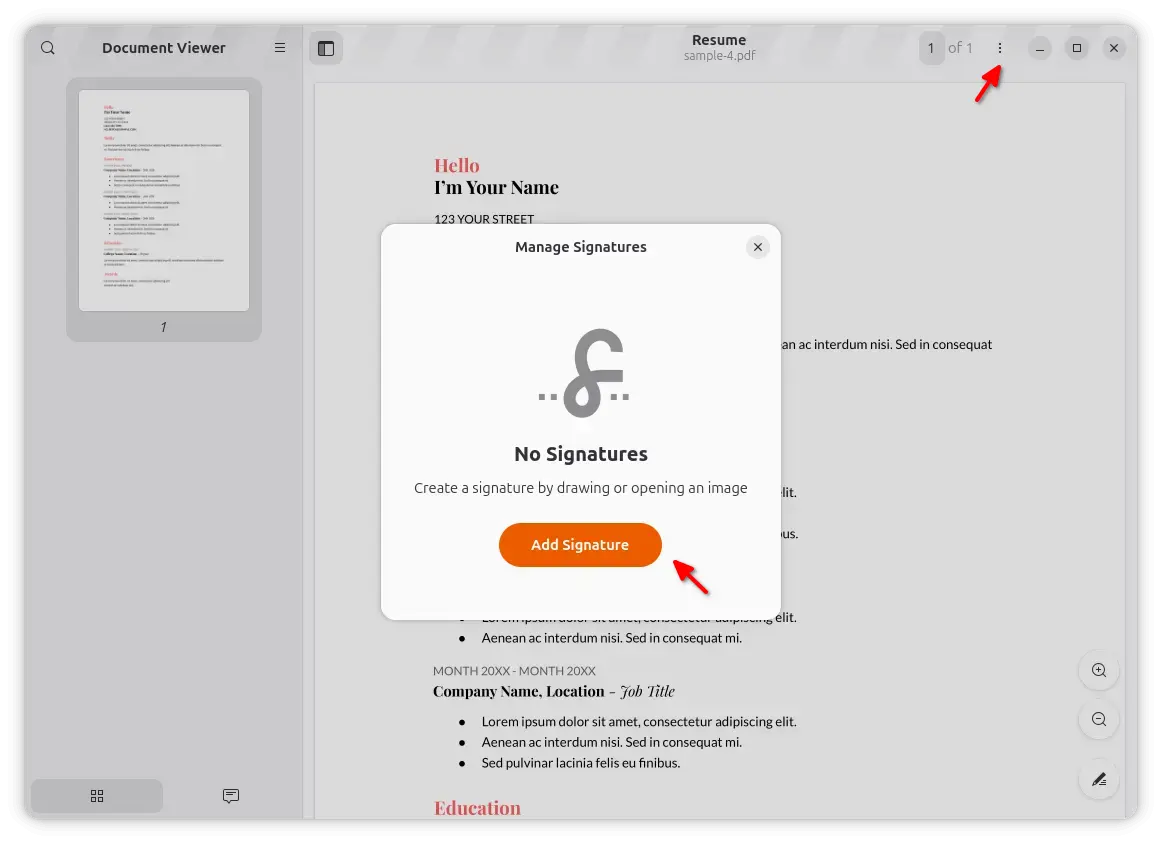
With it, you can either add handwritten signature by drawing with a mouse or touchscreen or import an image of your signature.
When importing an image file as signature, it will automatically run the background removal process via Otsu’s method, which is however NOT expected to work in every case.
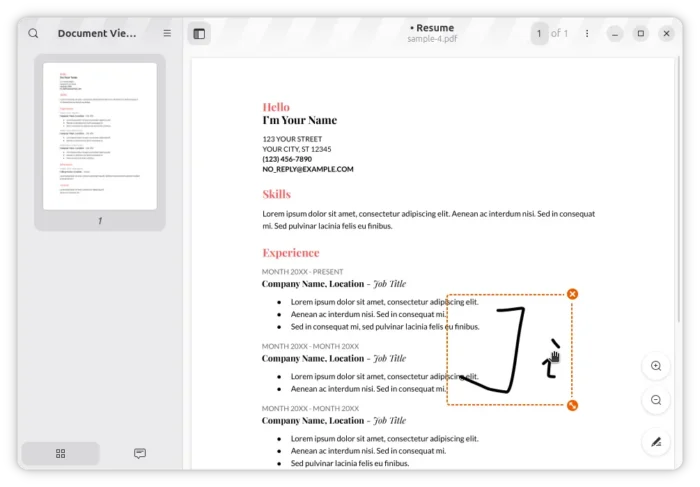
After inserted a visual signature, you can drag moving it to any area in the PDF page, resize or remove it through the bottom right/top selection icons. And, it supports saving the last signature position.
Paper 51 Beta also improved the paper sizes report when the document contains pages of different dimensions.
Previously, the application determined the document’s paper size by looking only at the first page. Now, the application examines every page and groups consecutive pages with the same paper size into ranges, e.g., A4 (pages 1–2), A3 (pages 3–4).
It as well added support for the build_text_layout interface in the DjVu backend of the document library, which provides the exact layout of text on each page, rather than just the text content itself.
Other changes include:
- Use new GTK Snapping API if available for fractional scaling.
- Make free text and stamp annotations printable by default.
- Change the license of the pps-color source file from GPLv3+ to GPLv2+.
For more changes about the Papers document viewer, see the NEWS file in the source page.
Get GNOME Document Viewer (Papers) 51 (Beta)
The new version of this document viewer will be available soon in Ubuntu 26.10 and Fedora 45 along with GNOME 51 Beta Desktop. And, Arch Linux has already made it into the GNOME Unstable repository.
Without trying out the new Ubuntu and Fedora development releases or adding GNOME Unstable repository in Arch, the latest Papers dev version is also available to install in most Linux Distributions as Flatpak package (org.gnome.Papers.Devel) through GNOME Nightly repository.