
Wine, the compatibility layer for running Windows app on Linux, maOS & BSD, released new 11.22 version one day ago.
It’s a new development release that introduces some improvements, and a few dozens of fixes for running Windows apps and games.
The new Wine release adds AVX support when trying to run x86 Windows applications on an ARM64 Linux computer through x86 emulation.
Advanced Vector Extensions (AVX) is a set of CPU instructions to accelerate mathematical calculations, multimedia processing, and other performance-intensive tasks.
If you have an x86 Windows application that didn’t run on ARM64 Linux because of missing AVX support, you can now try running it again with Wine 11.22.
In addition, Wine 11.22 improves the measurements and spacing of characters in the Tahoma font to make text display more accurately. And, it rewrites the DTD validation in MSXML, improving XML processing compatibility with Windows applications.
It as well adds address space randomization support to improve security, and, updates locale data to Unicode CLDR 49 with updated regional formatting conventions.
Other changes are mostly bug-fixes for the issues in the following applications and games:
- ImgBurn 2.5.5.0.
- fastone image viewer 5.9.
- Logos 8 Bible and Logos 9 Bible.
- Guild Wars 2.
- FreeCommander.
- Perry Rhodan – The Adventure.
- Crossrunner emulator.
- Kubios HRV Scientific installer.
- CloneCD.
- Star Citizen CrashHandler.
- Black Mirror II and III.
- Dragon Age.
- Logos Bible 50.x.
- Alan Wake and Alan Wake’s American Nightmare .
- Notepad ++.
- F.E.A.R. 3.
- And more.
For more about Wine 11.22, see the official release note.
How to Install Wine 11.22
Wine website provides the official packages for Debian, Ubuntu, Fedora, and macOS. See the official installation guides:
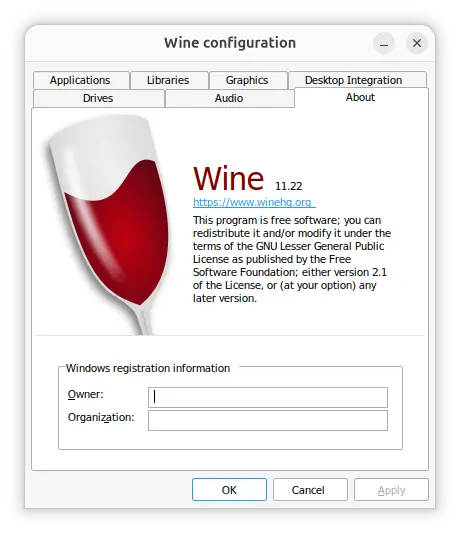
After installed wine, you may run winecfg to launch the configuration dialog, and run winetricks --gui to launch the GUI to install a Windows DLL or component.
Finally, either right-click on your .exe file and select open with “Wine Windows Program Loader” option to run, or choose wine 11.22 (System Wine) in your graphical launchers, such as WineGUI, PlayOnLinux, and Lutris.