
TLP, the Linux laptop battery saving tool, released new 1.11.0 version yesterday.
The version of this popular free open-source software adds SysVinit script support for tlp-pd, extends Power Saver mode with additional configuration options, and fixed various issues.
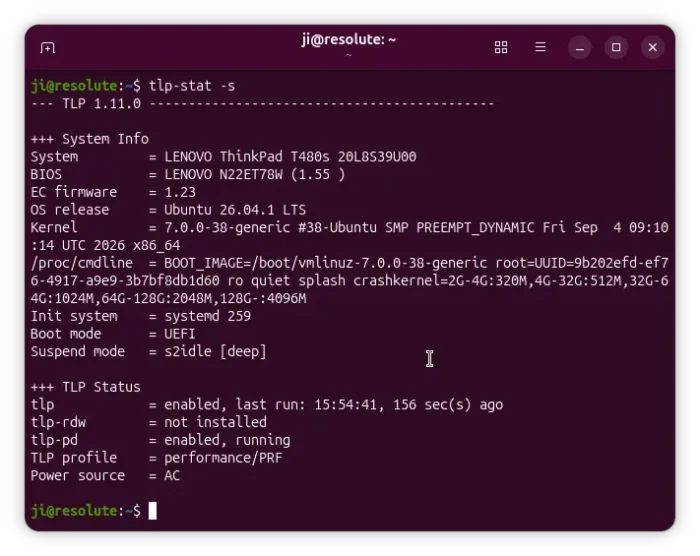
First, the release renames _AC and _BAT parameter name suffixes to _PRF (performance) and _BAL (balanced).
The old name suffixes still work, because TLP will automatically translate them at runtime. But, users are recommended to update the TLP configuration to the new names for future compatibility.
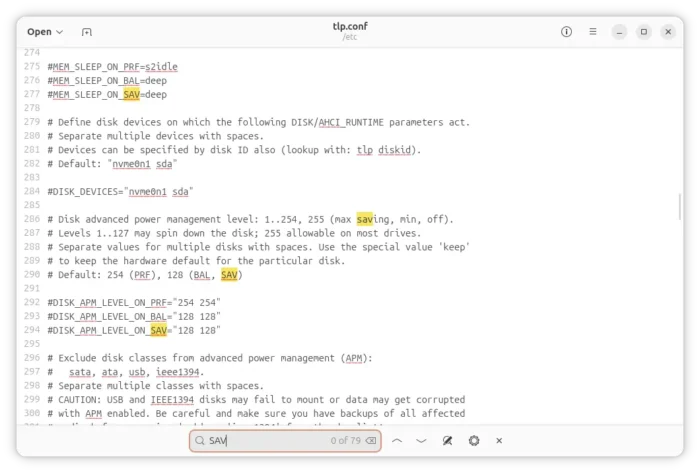
For the Power Saver profile, many parameters previously available only in Performance and Balanced profiles are now supported. They include:
- SOUND_POWER_SAVE_ON_SAV – audio power saving for Intel HDA, AC97 devices.
- DISK_APM_LEVEL_ON_SAV – disk advanced power management level.
- DISK_SPINDOWN_TIMEOUT_ON_SAV – hard disk spin down timeout.
- SATA_LINKPWR_ON_SAV – AHCI link power management (ALPM) for SATA disks.
- AHCI_RUNTIME_PM_ON_SAV – runtime Power Management for NVMe, SATA, ATA and USB disks.
- MAX_LOST_WORK_SECS_ON_SAV- maximum time filesystem data can remain in memory before written to disk.
- MEM_SLEEP_ON_SAV – system suspend mode.
- RUNTIME_PM_ON_SAV – auto suspend PCIe devices.
- WIFI_PWR_ON_SAV – WiFi power saving mode.
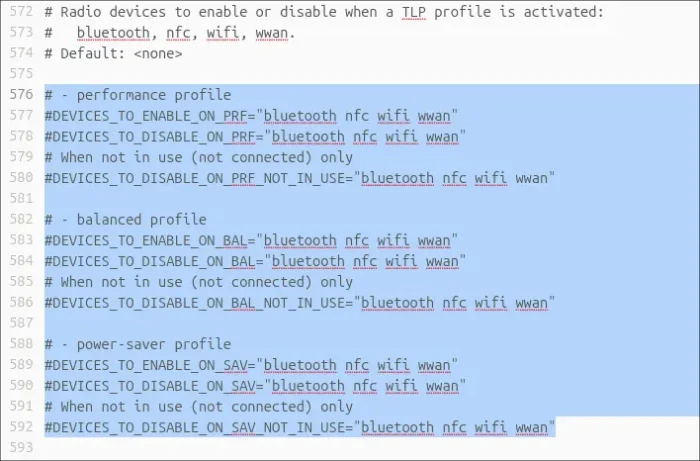
The release also extends the config options to control which radio devices (e.g., Bluetooth, NFC, Wi-Fi, and WWAN) to enable, disable, or disable when not in use, for all the three Performance, Balanced, and Power Saver modes.
tlp-pd, the profile daemon, that provides the ability to switch profiles (Performance, Balanced, Power Saver) on desktop, has been updated with init script (/etc/init.d/tlp-pd).
Meaning you can now use SysVinit service scripts to control the service. And, it now supports service reload with systemctl reload tlp-pd.
Other changes in TLP 1.11.0 include:
- Work around battery care kernel error for Lenovo laptops
- Add
/etc/default/tlp-pdconfig file for tlp-pd. - Remove RESTORE_DEVICE_STATE_ON_STARTUP.
- Remove RADEON_DPM_STATE_ON_AC/BAT/SAV.
There are as well many other changes and bug-fixes. See the changelog for details.
How to Install TLP 1.11.0
NOTE: tlp-pd will replace GNOME power-profiles-daemon, which provides similar function to choose between Performance, Balanced, and Power Saver modes.
TLP has an official PPA, so far supports Ubuntu 22.04, Ubuntu 24.04, Ubuntu 26.04, Ubuntu 26.10, and Linux Mint.
Simply launch terminal (Ctrl+Alt+T) and run commands below one by one to add the PPA and install it:
sudo add-apt-repository ppa:linrunner/tlp
sudo apt update
sudo apt install tlp tlp-pd
For other Linux distributions, and more about TLP, see the official documentation.