
NVIDIA Driver for Linux released new 620.70.06 version a few days ago!
The new NVIDIA 620 is the latest production branch driver series that’s suitable for general use and enterprise environments.
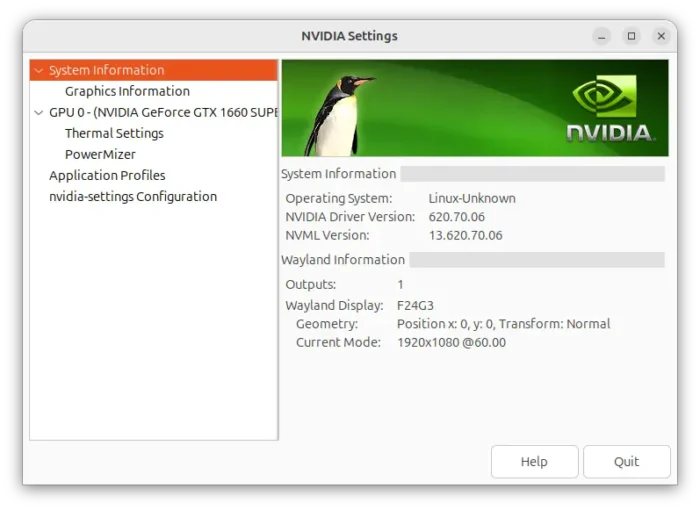
The new driver comes with only a few new features and several bug-fixes. It improves the graphics synchronization efficiency on Wayland session, resulting in better performance in benchmarks with very high FPS.
For games use Vulkan graphics API, run in Wayland or render directly to display without relying on a desktop window system, the driver now supports OpenGL visual indicator.
Meaning user can now set __GL_SHOW_GRAPHICS_OSD = 1 environment variable when running a game, to display a performance overlay in game window.
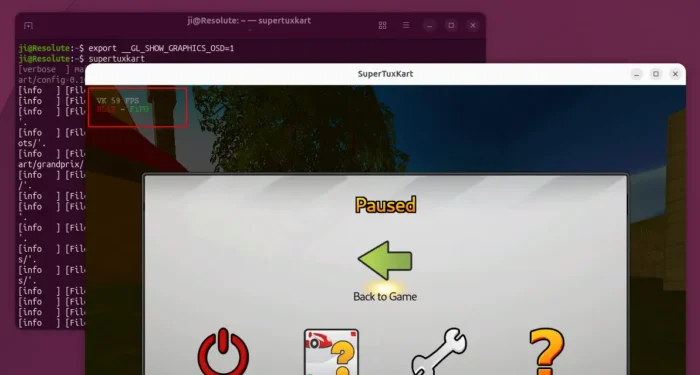
However, it only displays the basic info, such as which graphic API in use, FPS (frame per second), whether VSync, blitting or flipping in use.
No GPU frequency, no VRAM usage, no overlay position or font etc configure options. But it’s better than having nothing at all, when you just want to monitor FPS or don’t want to install any third-party apps.

Other changes are mostly bug-fixes. It fixed the regression introduced in the 595 series driver, which Assassin’s Creed Shadows could freeze or stop responding at certain points when using Vulkan.
It also fixed occasional game crashes in Final Fantasy VII Rebirth, when running with the VKD3D_CONFIG=descriptor_heap environment variable enabled.
Other fixes include:
- Graphics rendering issue for Vulkan apps on Wayland with multiple GPUs.
- Vulkan frame rate limiter not working correctly with frame generation enabled.
- Kernel crash with open NVIDIA GPU modules on certain NUMA systems.
- Fix ‘invalid head number’ error when switching away from X11 to VT.
- Fix shared libraries installation issue for the proprietary installer.
How to Install NVIDIA 620.70.06
The official release note as well as the .run installer are available in NVIDIA website via the link below:
For average users, it’s recommended to use the distribution provided driver packages!
Ubuntu usually supports the production branch NVIDIA driver, though you have to wait for several weeks or even more. Keep an eye on this page for NVIDIA 620 package state in Ubuntu.
If you can’t wait, then try NVIDIA-provided CUDA repository. See Option 2 in this tutorial for details.