Frame, the free open-source GUI front-end for FFmpeg, released new 0.34.0 version today.
The new version of this Rust written application updates its FFmpeg bundle from version 8.1.2 to the latest 9.0.2 for Linux, Windows, and macOS. While, Flatpak and Nixpkgs installations continue to use distribution-provided FFmpeg library.
Probably due to the change below, the Linux app window is now border-less with sharp corners, though I prefer the previous rounded corner appearance with shadows.
Removes the application-drawn outer shadow, rounded frame and surrounding margin while retaining Frame’s titlebar and window controls. Tiled windows use the full available area.
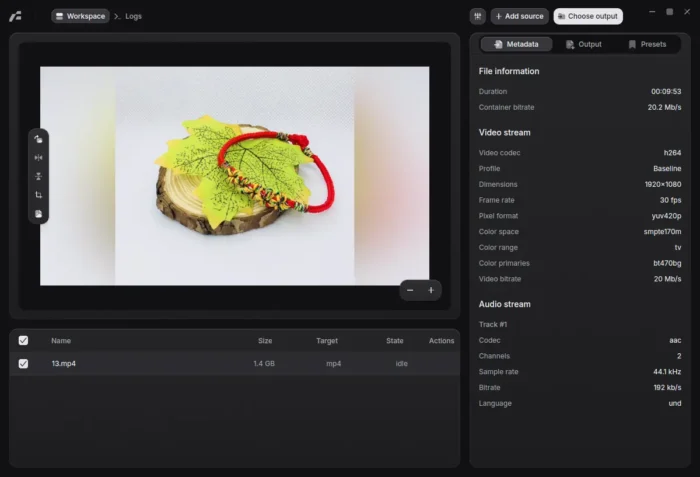
Frame 0.34.0 dark UI
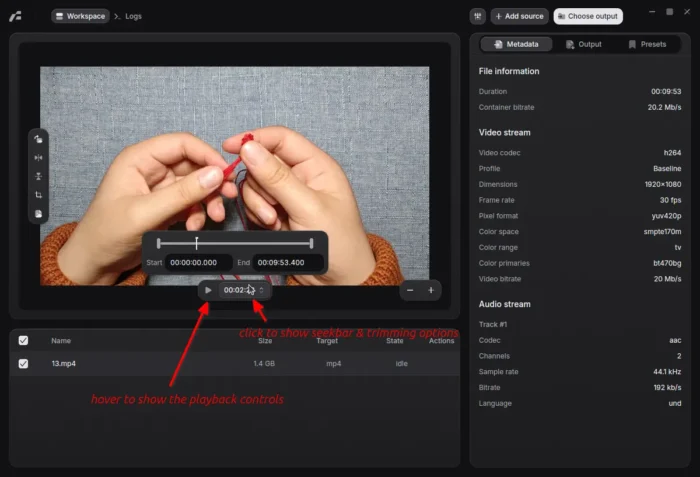
The video playback and trimming tool have been redesigned. They are hidden by default. Simply move cursor over the video preview to show the floating controls, and, click on timer to get the seek-bar and the Start/End points for trimming.
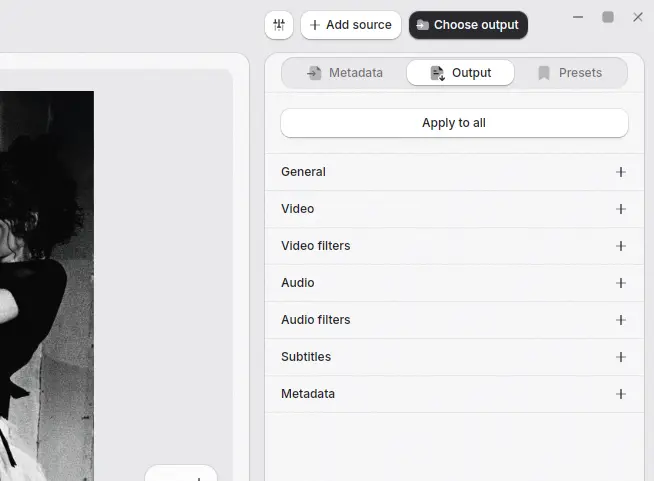
The right-side section is also redesigned. Except the metadata and presets, all others (e.g., video, audio, filters and subtitles) are merged into single “Output” tab.
And, when working on multiple media files, it shows a “Apply to all” button to apply all current output settings to pending files without saving a preset.
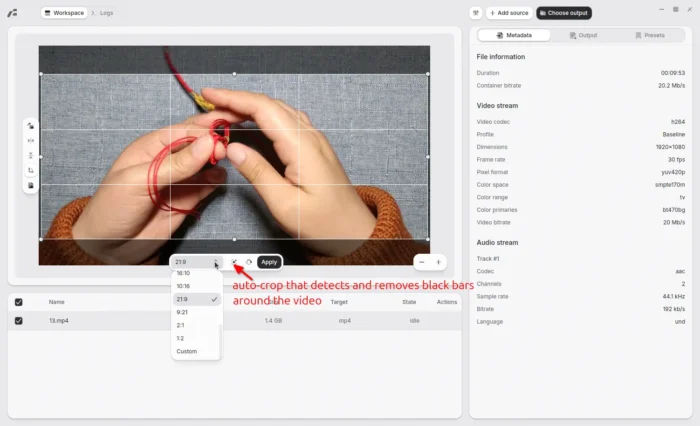
Besides the UI changes, the release adds new Auto Crop feature, that can detect and remove the black area at the top and bottom or on the left and right sides of video.
And, the crop control has been updated. It now has more aspect-ratio presets, custom ratio, and pixel dimensions support, along with live preview and calculated output dimensions.
Other changes in Frame 0.34.0 include:
- Add import and export support for .opus audio files.
- TS file import support.
- SVT-AV1 preset.
- Option to select SVT-AV1 encoding presets from 0 to 13.
- Add keyboard navigation and selection for file-queue.
Get Frame 0.34.0
More about the release as well as the installer packages are available in Github via the link below:
For Linux, either choose the AppImage, add executable permission from file properties, finally run to launch the app. Or, choose the Linux tarball, extract and run the executable file run bin sub-folder.
It’s also available to install as Flatpak package that works in most Linux Distributions.