
Firefox 160.0, the new bi-weekly release of this popular web browser, was released last night.
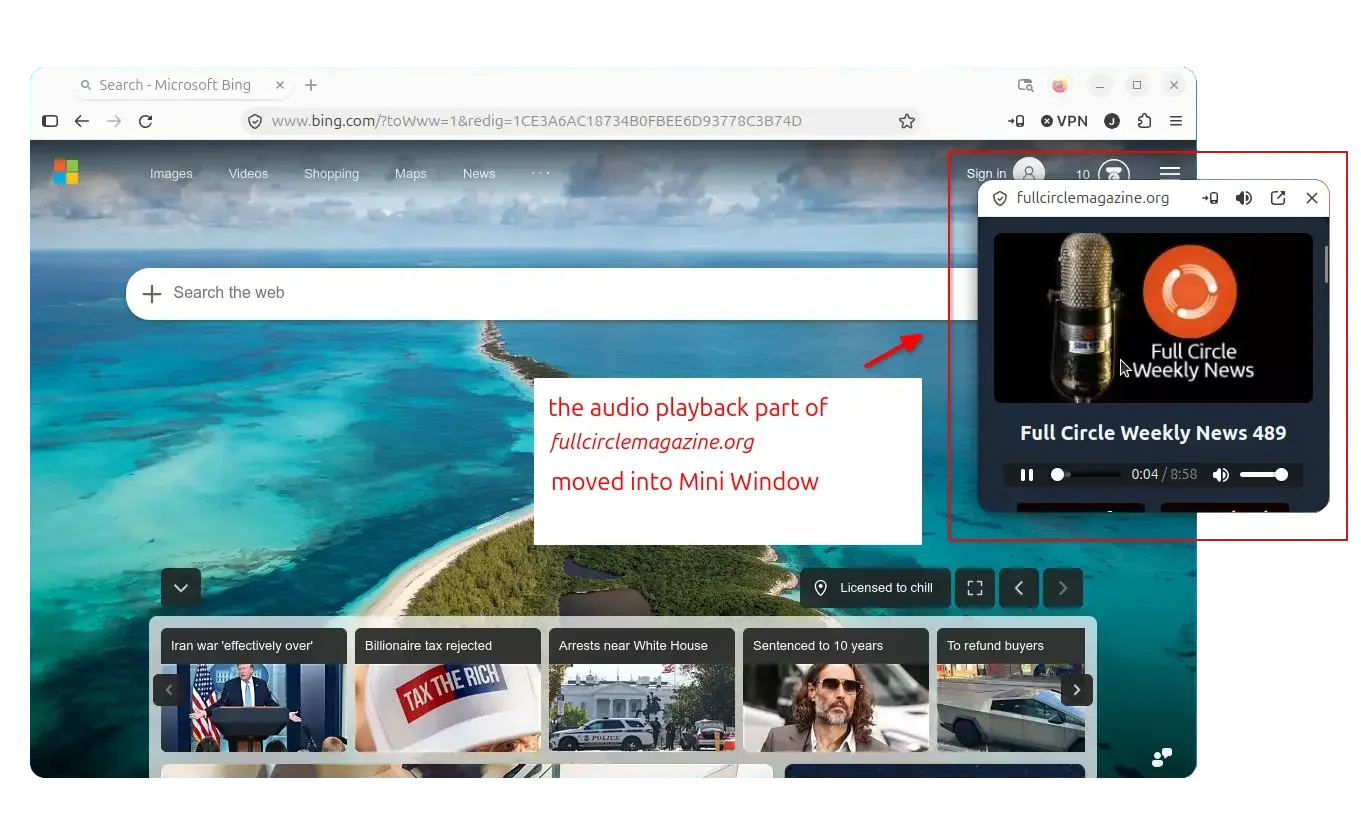
The new version introduced a Beta feature called Mini Window. It allows to move a tab, or a selected section of a page, into a small floating window, useful for multitasking or keeping something in view.
Like Picture-in-Picture, but it allows to pop-out any content (e.g., text, image, video/audio, chat, video call, and more) into a separated compact window.
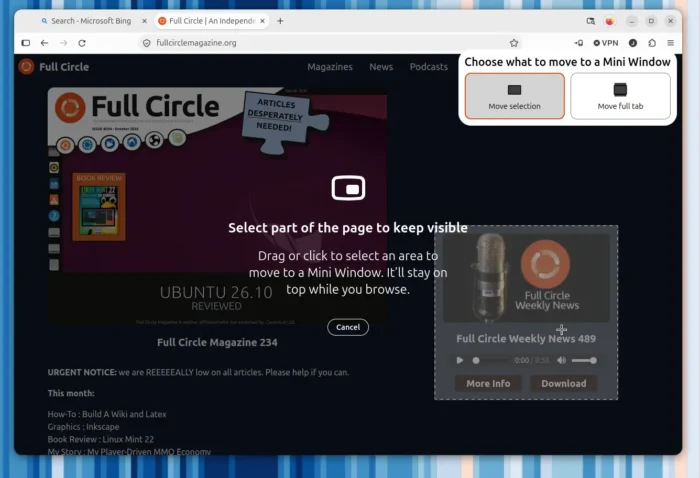
Either right-click on the tab and select “Move Tab -> Move Tab to Mini Window”. Or, right-click on anywhere of a page and choose “Move Section to Mini Window”.
It will prompt you to choose a selection or full tab you want to pop-out. And, the tab will disappear from the main Firefox window after moved to mini window.
You can resize and move (drag the area between reload and shield icon) the Mini Window. And, it provides the control buttons to restore back and close.
Besides the new Beta feature, Firefox 160.0 also brings several UI and UX improvements.
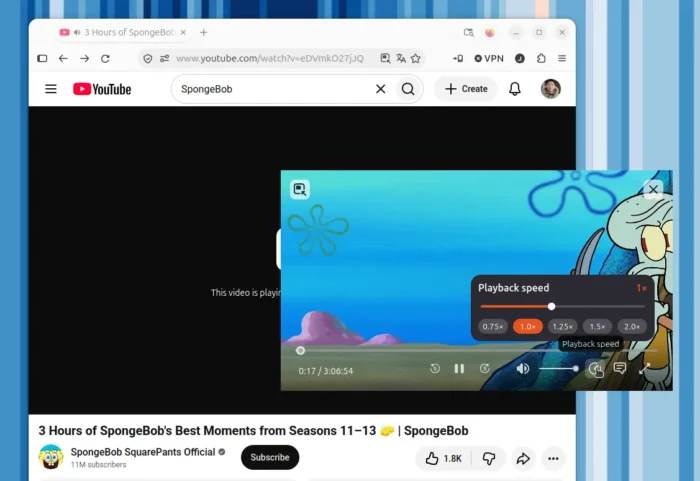
The Picture-in-Picture video pop-out now supports changing the playback speed to e.g., 0.75x, 1.25x, 1.5x, and/or 2.0x speed.
The Organize Tabs feature in Smart Window is now available in French. History entries can be drag and drop from sidebar to tab strip. And, it now uses Apple’s Metal graphics API for WebGL rendering on macOS.
Other changegs include:
- Play Matroska (MKV) files with FLAC, MP3, or PCM audio.
- Add “Never allow” button for websites repeatedly ask to handle email (mailto:) and other links.
- When saving a webpage as PDF, mathematical formulas can now be read and understood by screen readers.
- Support the
SpeechRecognitioninterface of theWeb Speech API. - Supports the legacy
::-webkit-input-placeholderpseudo-element as an alias of::placeholder. - Various security and other fixes.
Get Firefox 160.0
The official release note as well as the download link will be soon available in Firefox website via the link below:
https://www.firefox.com/en-US/firefox/160.0/releasenotes/
If you can’t wait, you may choose download Firefox 160.0 from Mozilla’s web page.