OnlyOffice Desktop Editors, the free open-source office suite, released new 9.4.0 version yesterday.
The new version of this offline use office suite introduced some new features, added new translations, improved dark mode support, and fixed security issues.
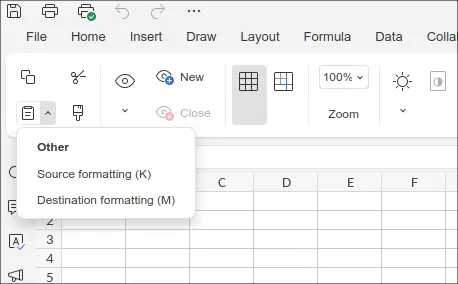
First, the new version improved its “Paste” tool-bar button. Not only Spreadsheet, Document, Presentation and PDF editors now also have the drop-down menu options to paste clipboard content with “Keep source format” or “Keep text only” options.
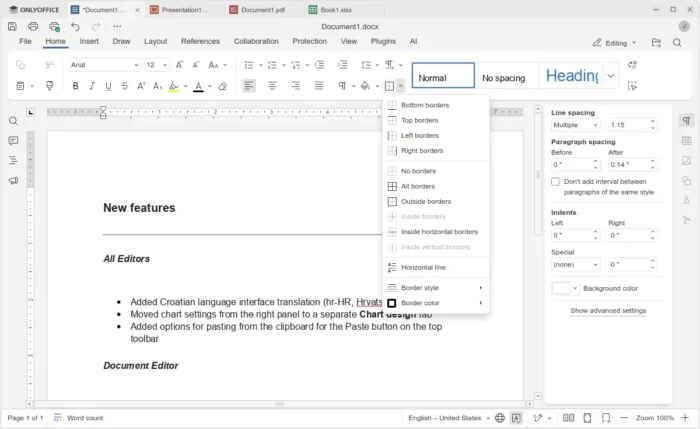
The Document editor for editing and saving DOCX, DOC, ODT, OTT, etc documents, has been updated with ability to add a horizontal line.
Without adding a “Line” shape, you can now separate sections and improve document readability by going to “Home” tab and click expand “Borders” tool-bar button to add horizontal line.
The new 9.4.0 also improved the dark mode support for its Spreadsheet editor. It now has a new tool-bar button in the “View” tab, allowing to toggle the dark mode of worksheet (the tabular page), so that the full app window will be dark.
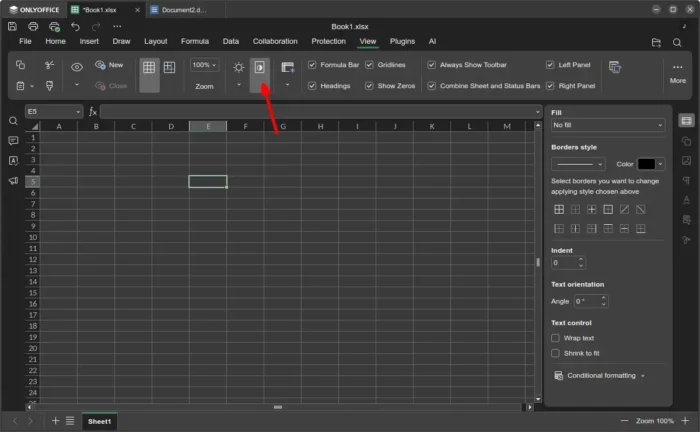
full dark spreadsheet
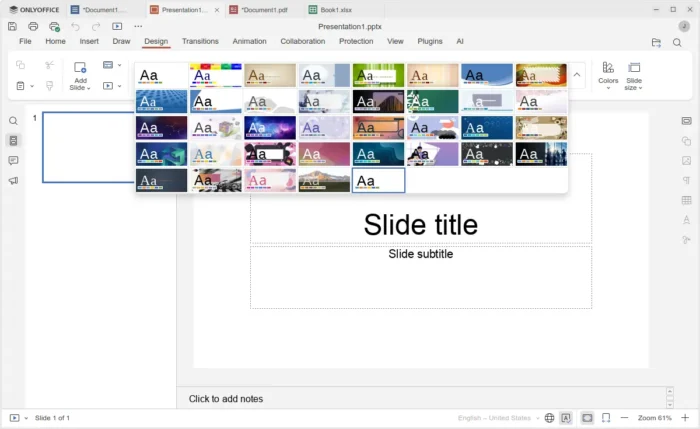
Presentations, the app for creating slide presentations for meetings, teaching, etc use, now includes 25 more design themes, providing pre-made visual styles that control how a slideshow looks.
It as well includes 20 new slide transitions, grouped by category, for more visual effects when you moving from one slide to another during a presentation.
This version also features smart signature storage. It now saves the last selected image in the Signature field, and use it automatically when filling out the form again.
OnlyOffice Desktop Editors 9.4.0 also fixed some security issues. They include out-of-bounds read vulnerabilities when converting XLS to XLSX with some functions, a vulnerability in GUID generation, and vulnerability that allowed bypassing macro sandbox restrictions.
Other changes include:
- New Croatian language translation (hr-HR, Hrvatska).
- Move chart settings to a separate Chart design tab.
- Add “Send for signing” and “Filling status” panels.
Get OnlyOffice 9.4.0
The official announcement seems not ready at the moment of writing, though you may keep an eye on its blog or see the changelog for details.
And the official installers for Linux, Windows, and macOS are available to download in its website via the link below:
For Ubuntu, you may select download the .deb package (AMD64 for modern Intel/AMD, or ARM64 for RasPi, Snapdragon X), then click open and install via App Center.
Or search and install OnlyOffice (snap package) from App Center, or try the non-install AppImage, though both are not updated at the moment of writing.