Shotcut, the free open-source MLT based video editor, finally announced the 26.6 release after a month of Beta testing.
The new version of this Qt-based video editor introduced some new plugins support, HDR preview, Vulkan in FFmpeg, external monitor improvements, and various bug-fixes.
First, the new version introduced limited support for external audio and video plugins. Advanced users can now load OpenFX image effect plugins and/or VST2 and LV2 audio plugins, from the standard system directories.
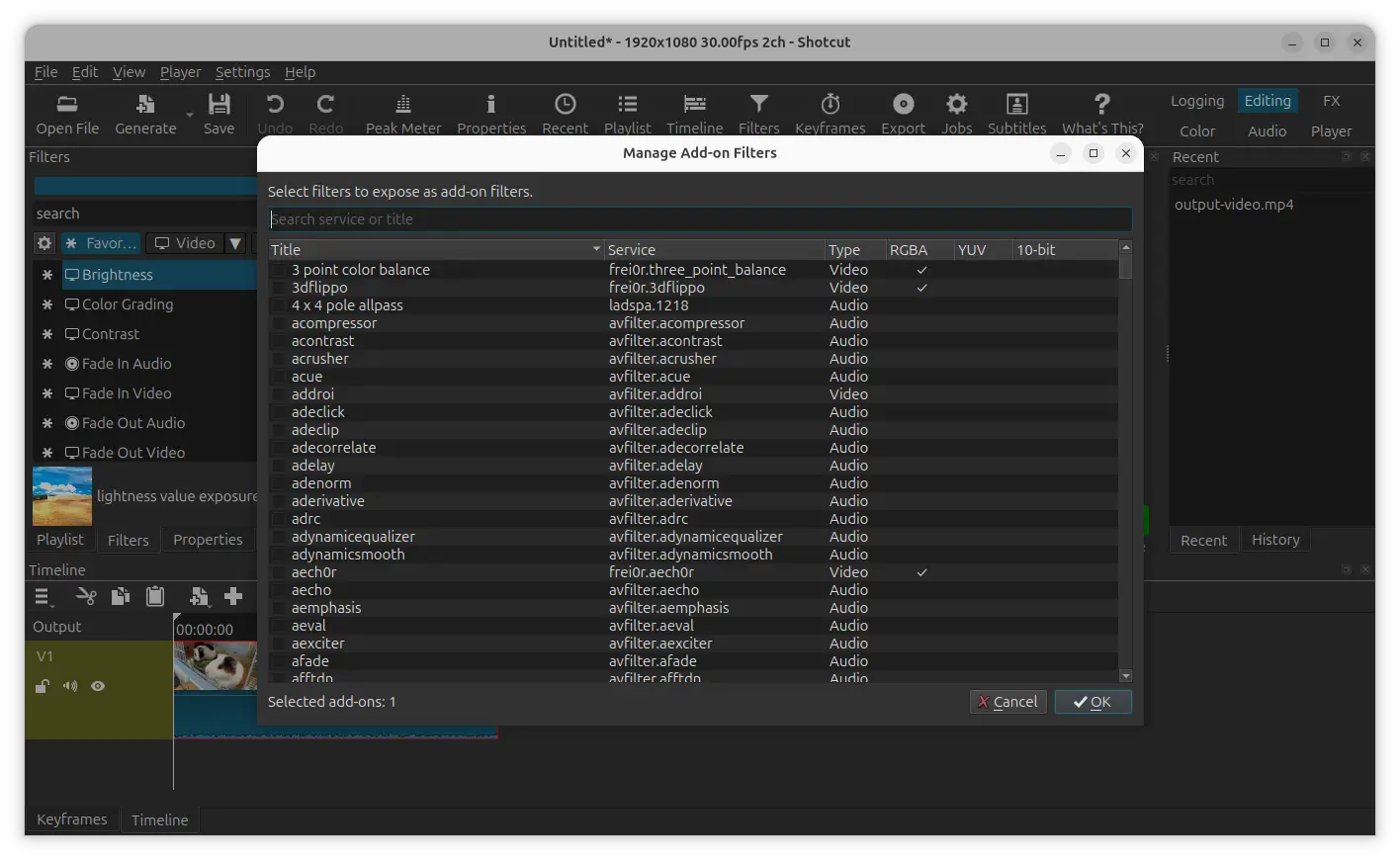
By launching the video editor with new --experimental command line option, you’ll see a new “Manage Add-on Filters” setting gear icon in the add filter widget.
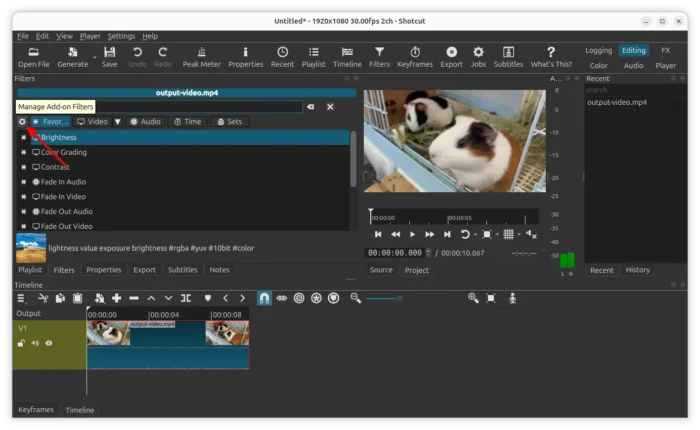
It will open a new dialog which lists ALL available filters, including the external plugins. And, you can select and de-select MLT filters to show or hide them in/from the main filter selection. This is useful for exploring filters, especially the host of OpenFx filters.
As the features above are experimental. The video editor may crash due to bugs. If Shotcut crashes within 30 seconds upon startup, it will restart in a safe mode without external (OpenFX, VST2) plugins. While, user may go to Settings -> Leave Safe Mode to re-enable them.
Besides experimental external filters support, Shotcut 26.6 also introduced Vulkan Display Method support for Linux. User can go to Settings -> Display Method menu to switch from OpenGL to Vulkan, though it needs an app restart to apply change.
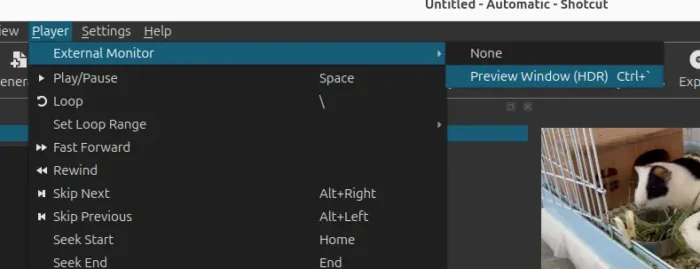
In addition, the 26.6 version added back using an additional system display as an external monitor. A new Player -> External Monitor -> Preview Window (HDR) is added to open video preview in a new separated window in external monitor. It however does not work along with the “Use Old Video Output” option, and, the HDR preview is not working on Linux and Windows/ARM so far.
It as well added support for PQ HDR and the metadata dialogs to External Monitor -> DeckLink.
Other changes include:
- New Reduce Noise: Audio (RNNoise) filter.
- Support for HDR to Export.
- Add Dynamic range to custom Video Mode and Timeline Properties.
- New “Create Transitions on Overlap” option.
- Use native file chooser dialog for Linux Snap package.
Get Shotcut 26.6
The official release note, installer packages for Linux, Windows, macOS, as well as the source tarball are available in Github project page via the link below:
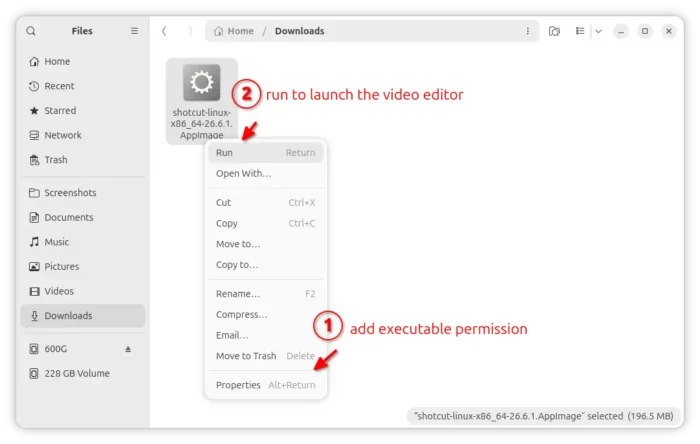
For Linux, select download the AppImage (for modern Intel/AMD), add executable permission from the Properties dialog, finally click Run to launch the video editor.
Tips: Ubuntu since 22.04 does NOT support AppImage out-of-the-box, open terminal (Ctrl+Alt+T) and run command to install the required library:
sudo apt install libfuse2
Ubuntu user may search & install the Snap package from App Center (or Ubuntu Software), while, an official Flatpak packageFlatpak package is also available for most Linux though runs in sandbox.