



LocalSend, the popular AirDrop alternative application for Linux, Windows, macOS, Android, and iOS, released new 1.18.0 version.
The new version of this popular free open-source application added initial command line interface (CLI) support, allowing to send or receive files in terminal or server without graphical desktop environment.
The new CLI starts in interactive mode. It reads configuration file for the default device name, saved directory, listening port etc, while, user can pass CLI options or environment variables for custom ones.
When the app starts in CLI, user may use hotkeys to discovery nearby devices, send / receive files, and do other operations. And, nearby devices can find it tagged as CLI.
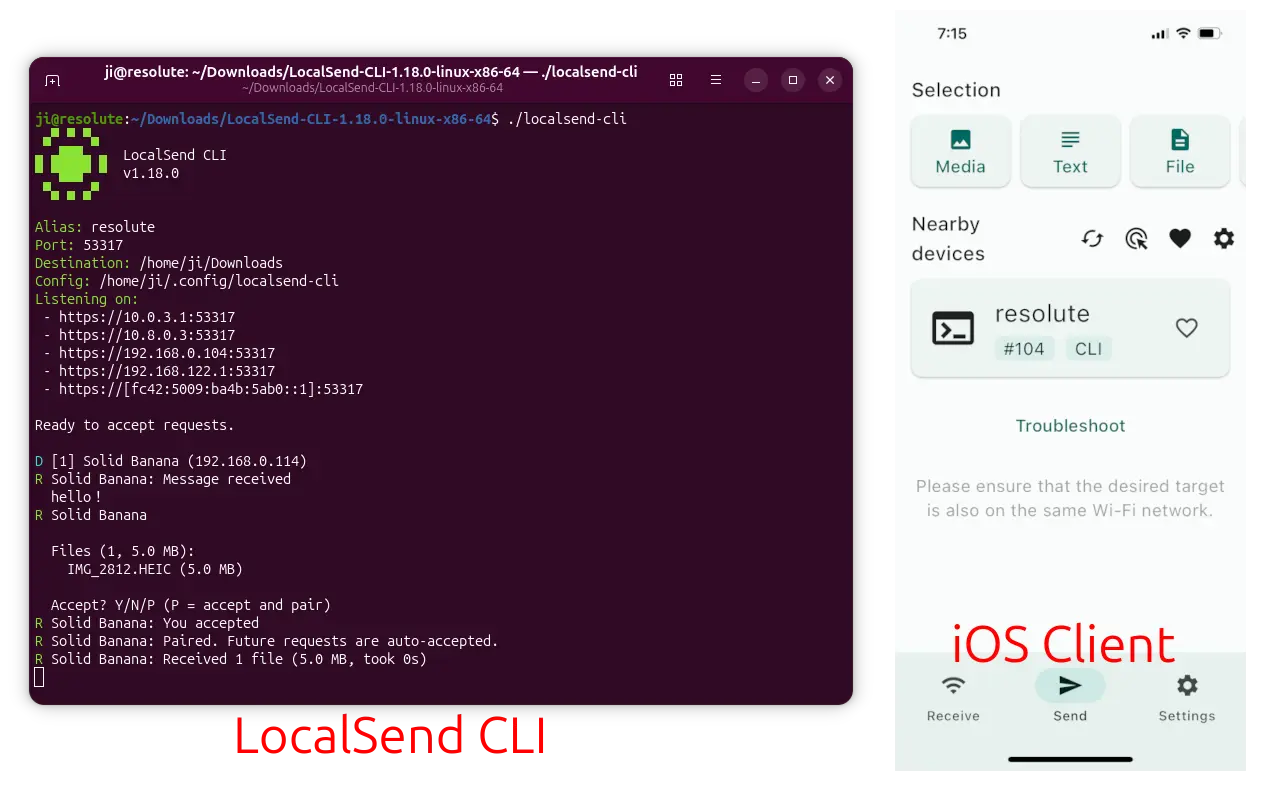
As you see in the screenshot, this version now supports listening on IPv6. In the case, the devices can communicate directly without router support, VPN or subnet conflicts, which is great for enterprise or mobile networks.
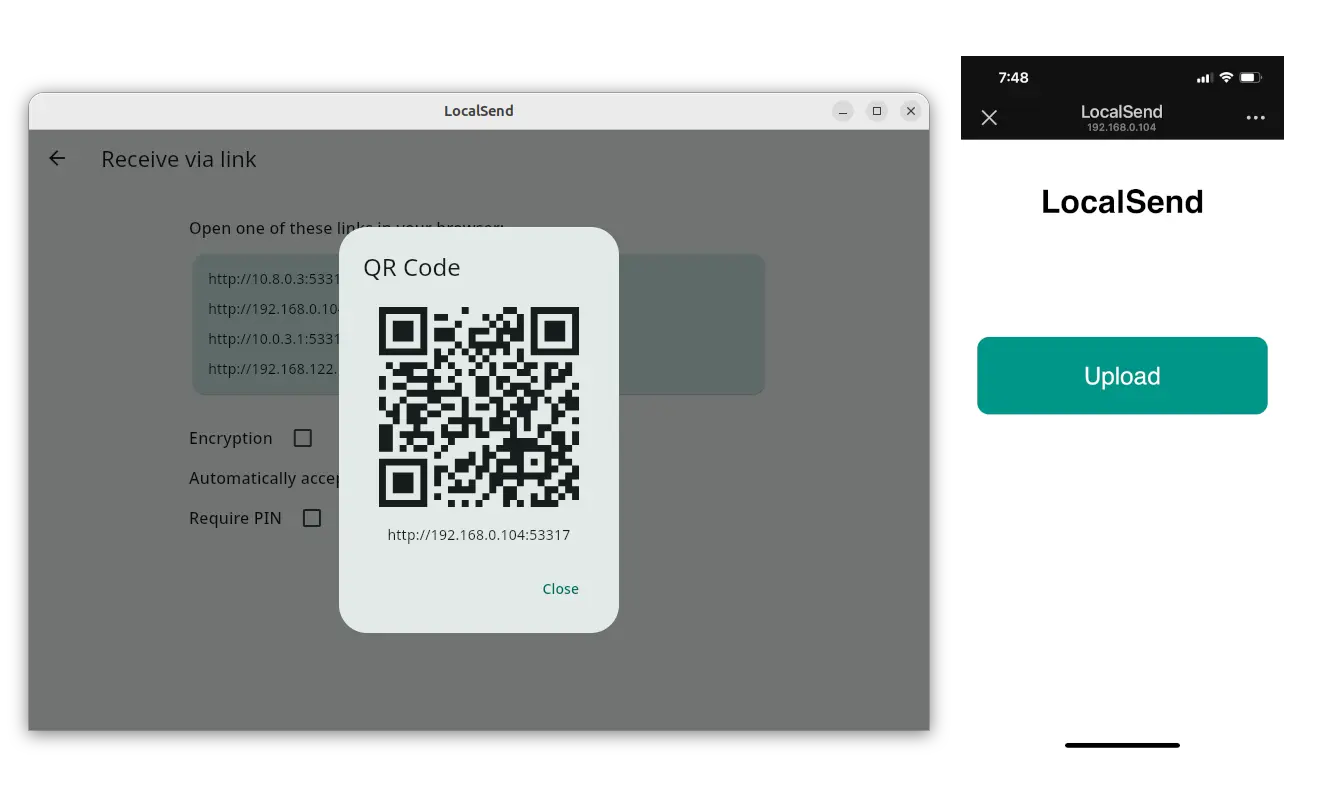
The new 1.18.0 version also added a new “Receive via link” button in the Receive tab. It allows to input IP address in remote browsers or scan QR code in mobile devices to upload files even without the LocalSend app installed.
It now unifies the file sizes by using decimal units (1 GB = 1000 MB) to match macOS, iOS, Android, and Linux. And, it added checksum support (enable by default) to make sure the files in the send and receive sides are identical.
For Linux, it now uses native window decorations instead of large GTK3 header-bar which looks compact. And, it added CJK font support for Chinese, Japanese, and Korean text.
macOS now has a new button to quickly open firewall settings from troubleshoot page, and, a new Command+Comma keyboard shortcut is added to open settings.
It now uses user-friendly Computer Name instead of the technical hostname in mac, and, supports Dock icon text-dropping even when the app is not running.
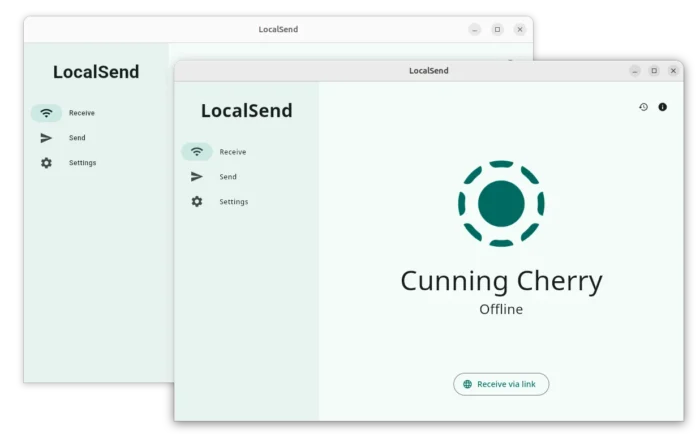
native GTK3 header bar in Linux
For Windows, the app is added to share sheet, meaning user can now select a file in File Explorer, then click “Share” in the context menu and choose LocalSend in the pop-up selection dialog.
Android user can now launch the app quickly from the Quick Settings panel, and, the file transfer can run in the background.
Other changes include:
- Custom color theme support via a color picker.
- Automatically accept files by favorite devices by default.
- Faster transfers for slow receiving devices.
- Change duplicate file naming format.
- Fix Dock icon drag-and-drop and Share Extension in mac.
Get LocalSend 1.18.0
More changes about the release, as well as the official installers for Linux, macOS, Windows, and Android are available in the link below:
NOTE: The CLI packages are available as separated tarballs and exe files.
For Linux, choose the .deb package for Debian/Ubuntu, portable tarball that includes the executable file and libraries, or AppImage that can run to launch the file transfer without installation (executable permission required).
Most Linux distributions can also install it via Flatpak package, while, Ubuntu user may search & install the community maintained Snap package (not updated at the moment) in App Center or Ubuntu Software.
















👍️😀️