MystiQ is a Qt5 UI for FFmpeg media converter that features an intuitive graphical interface and a rich set of presets.
MystiQ is a new project written in C++ with Qt5 framework. It is a product of the effort of the SWL-X Project community with help of the KaOS Linux project community.
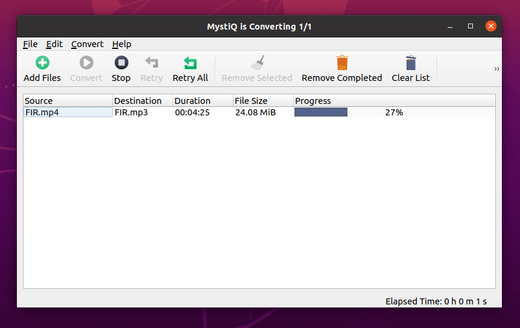
The software comes with a rich set of presets to help you convert media files within a few clicks. Advanced users can also adjust conversion parameters in detail. Also it offers automatic shutdown, suspend, hibernate when all tasks done.
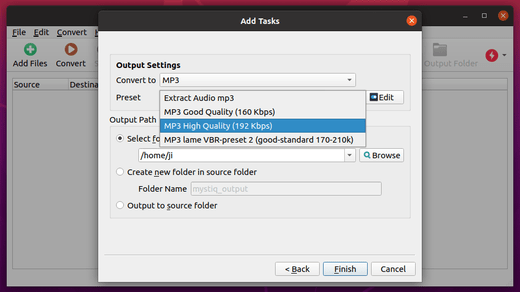
How to Install MystiQ in Ubuntu:
For Ubuntu 20.04, Ubuntu 19.10, Ubuntu 19.04, and derivatives, you can either download & install the .deb package.
Or open terminal and run following commands one by one to install from apt repository:
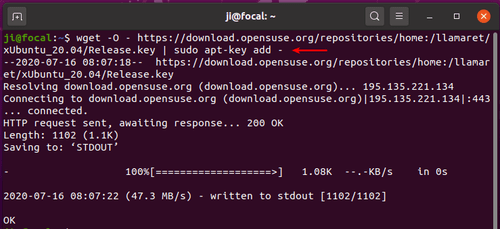
1.) Open terminal and run command to install repository key:
wget -O - https://download.opensuse.org/repositories/home:/llamaret/xUbuntu_20.04/Release.key | sudo apt-key add -
type user password (no visual feedback) for sudo prompts and hit Enter.
2.) Add the apt repository by running command (For Ubuntu 20.04 and Linux Mint 20):
echo 'deb http://download.opensuse.org/repositories/home:/llamaret/xUbuntu_20.04/ /' | sudo tee /etc/apt/sources.list.d/home:llamaret.list
You may replace xUbuntu_20.04 with xUbuntu_19.10 in the command for Ubuntu 19.10

3.) Finally install the media converter by running 2 commands:
sudo apt update

sudo apt install mystiq
Uninstall:
To remove the apt repository, go to Software & Updates -> Other Software:
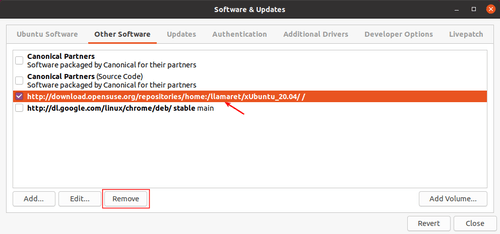
To remove the media converter, run command:
sudo apt remove mystiq