AppGrid, the free open-source application launcher for KDE Plasma 6, released new version 1.8.0 (and 1.8.1 with a quick fix) yesterday.
The new version of this Kickoff and Kicker alternative app launcher is the biggest release since launch, features favorites rewritten, app drag out, smarter search ranks, and deeper Plasma integration.
Similar to GNOME, the app launcher shows all your apps as a grid of icons, along with category filters, search function, and power buttons.
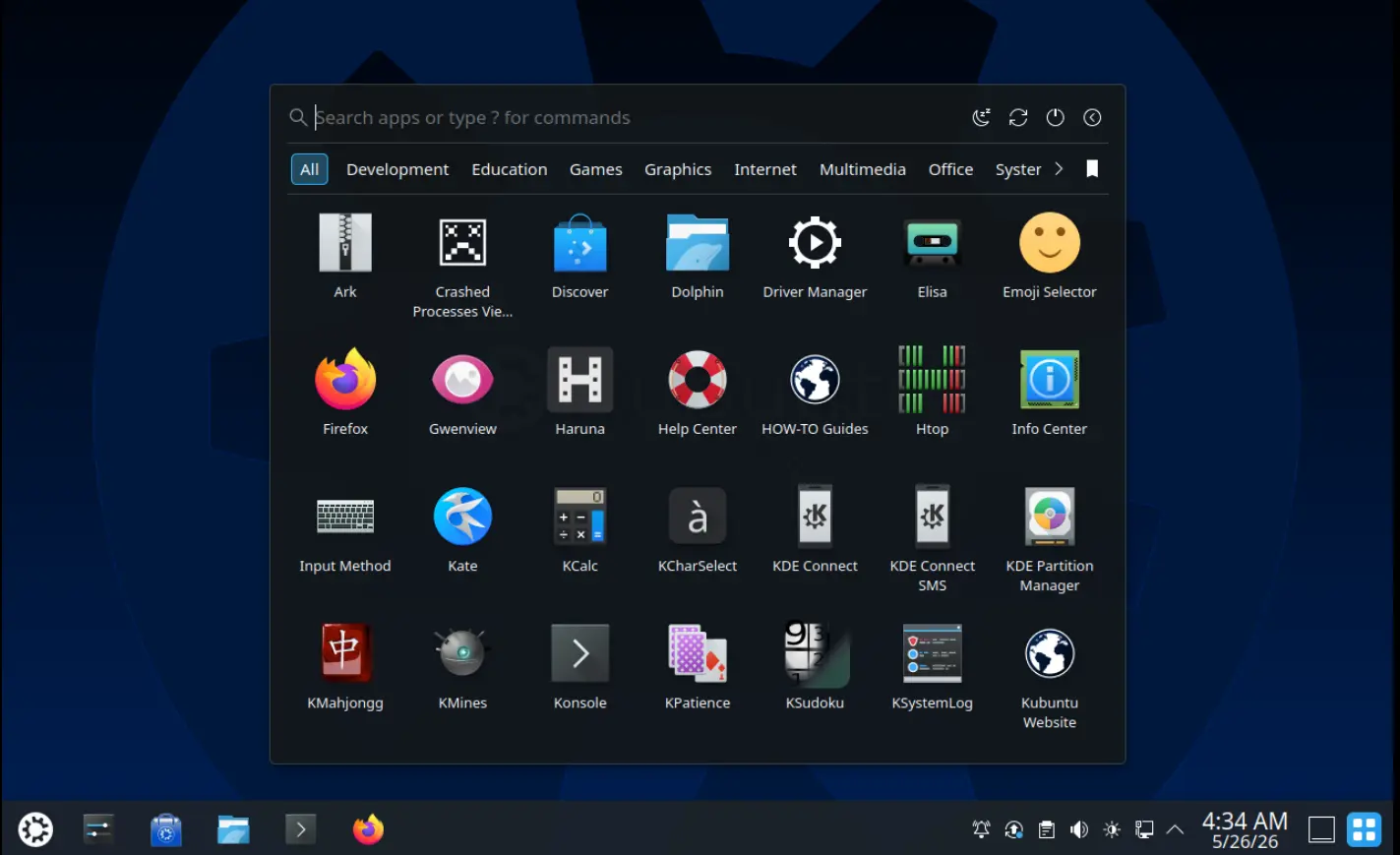
AppGrid in Center
It features two variants: one starts in screen center, the other starts from panel in the Kickoff (system default app launcher) style.
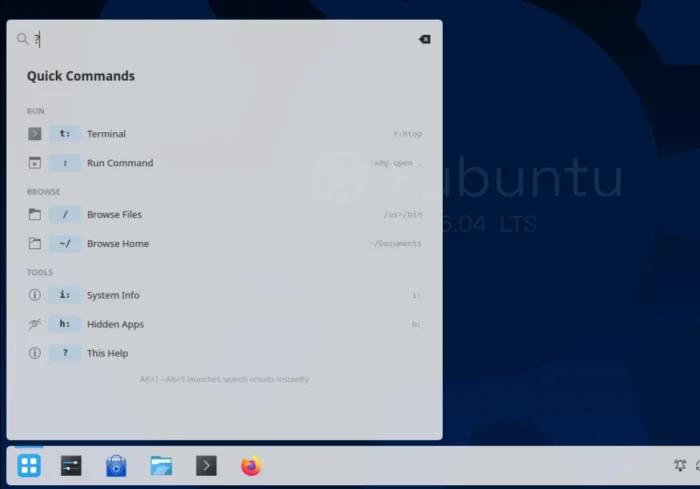
Besides the basic app search, launch functions, and context menu actions, it also features KRunner integration. You can run quick commands, such as t: (e.g., t:sudo apt update) to run terminal command, / or ~/ to browser files/folders, i: for system info, or ? get help.
With the new 1.8.0 release, it uses the KDE Frameworks component KActivitiesStats to get usage statistics, such as recent and most used apps, which are useful for smart search ranking.
The new version also uses the KActivities-backed favorites, the same the default Kickoff app launcher use, for favorite applications. As well, it supports re-ordering favorite apps by either dragging with mouse or use Ctrl + Shift + arrows keyboard shortcuts.
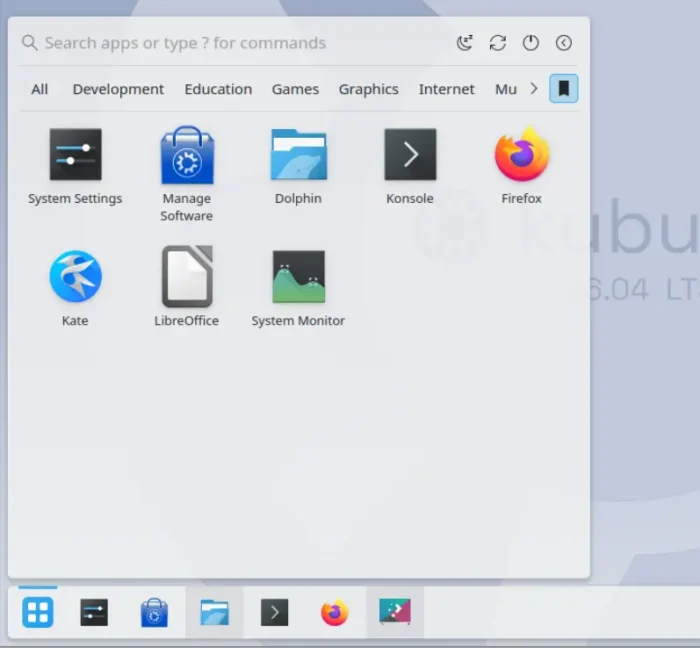
use the Favorite Apps that the default app launcher use, and support drag re-arranging
And, you may now drag app icons out of the application launcher. For example, drag’n’drop to panel to pin app icons, drop to desktop to create desktop shortcuts, or drop to file manager to link or copy .desktop files. And, you may use Ctrl + Click to select multiple app icons and drag’n’drop them all at once.
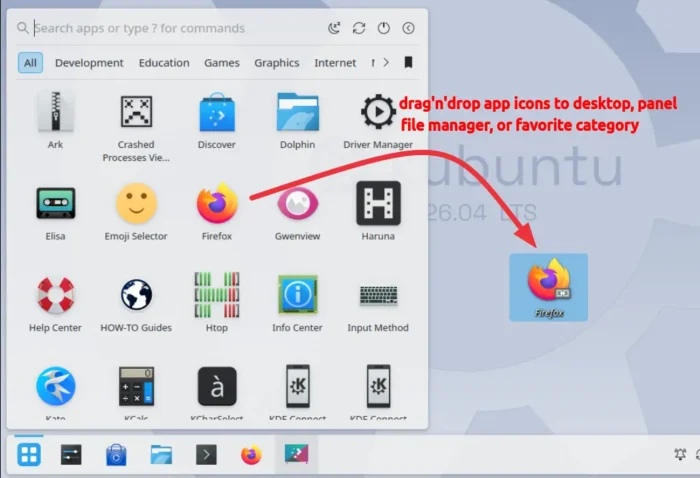
AppGrid 1.8.0 as well improved the performance, and reduced CPU usage while scrolling, especially on lower-end hardware and large app sets.
the launcher window is now built ahead of the click while the cursor is on its way, hot lookups in the search and filter paths are cached, and the favorites pipeline only spins up the parts it actually needs.
Other changes include:
- Add “Hide Application” context menu option.
- Add ability to hide and reorder individual power and session buttons (in settings dialog).
- Alt + Left/Right to navigate between categories.
- And more. see the Github releases page for details.
Get AppGrid launcher for your Linux
The Plasma AppGrid app launcher is available in AUR repository for Arch Linux, Copr repository for Fedora.
KUbuntu 25.10, KUbuntu 26.04, and next 26.10 may install it from the official PPA by running the commands below one by one:
sudo add-apt-repository ppa:xarbit/plasma-applet-appgrid
sudo apt update
sudo apt install plasma-applet-appgrid
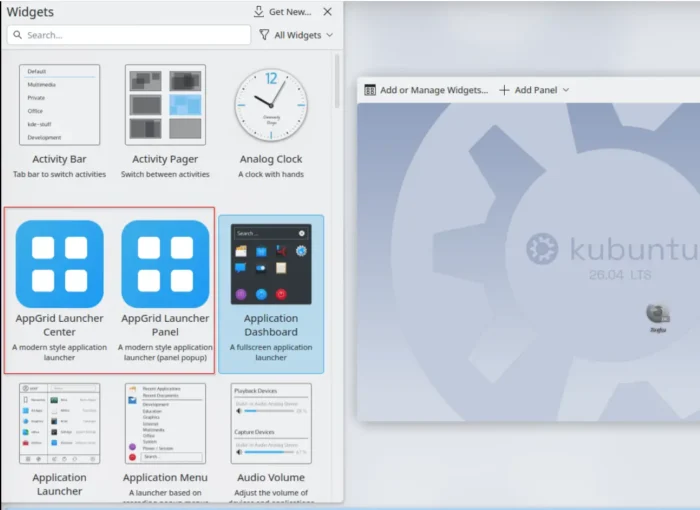
After installed it, right-click on panel and select “Add or Manage Widgets”, then click enable either “AppGrid Launcher Center” or “AppGrid Launcher Panel” and enjoy!
For more about the app launcher, see it in the Github page.