gThumb, the open source image viewer and organizer application designed for GNOME, released new 4.0 version today!
The new version of this GNOME image viewer and browser is finally ported to GTK4 + LibAdwaita, making it a modern native app for recent GNOME desktops.
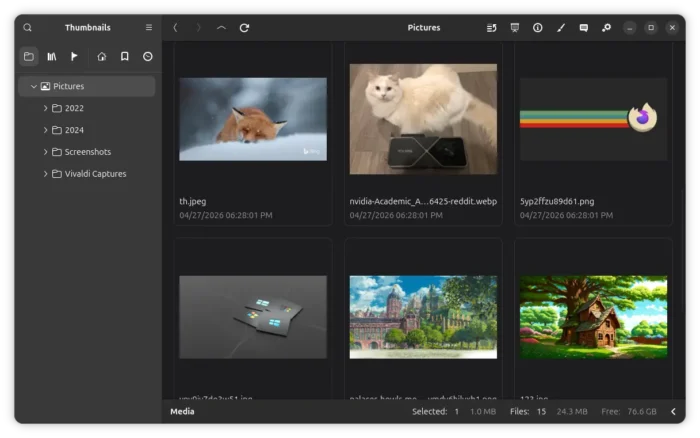
With the GTK4/LibAdwaita port, it features Gnome native file chooser, better UI rendering and animation, and modern input handling such as drag’n’drop and touchscreen support.
Besides that, the new gThumb 4.0 now supports playing animated WEBP and PNG images, as well as saving images to JPEG XL (.jxl) file format.
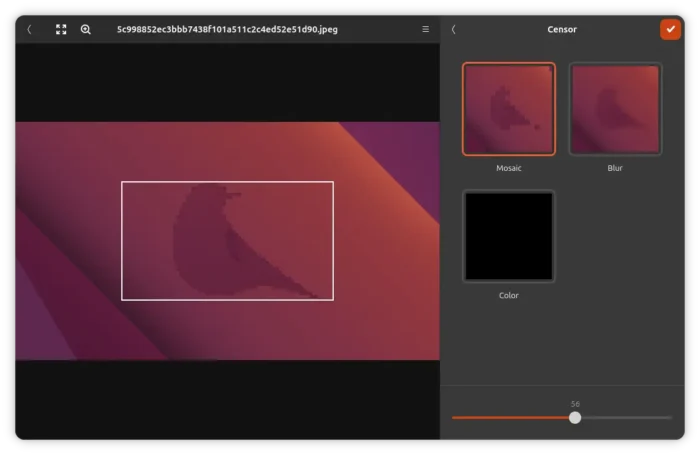
The image editor now includes new Censor filter that can mosaic or blur a rectangle image area. And, it now lets you control the strength/intensity of many image filters instead of simply applying each filter at a fixed level.
The new 4.0 is now more touchpad friendly. User can now use two-finger swiping left/right gestures to navigate between images in the viewer and slideshow (presentation) modes, as well use pinch gesture to zoom images.
The slideshow (presentation) mode now displays a simple fade-in animation when switching images. And, the editor now uses the first frame for the animated images.
Other changes in gThumb 4.0 include:
- Use a fast resize algorithm for big images.
- Support mouse side-buttons to navigate back / forward.
- Show more metadata information for videos.
- Swap video’s width and height metadata when it is rotated.
- Remove web albums, contact sheet, adjust time, find duplicates.
- Various fixes and translation updates.
How to Install gThumb 4.0
gThumb does not provide official package for Linux. Instead, most Linux distribution include the image viewer and organizer in their system repositories.
At the moment, Ubuntu 26.10 and Fedora 45 have built the new 4.0 version in their repositories, while, other distribution users may either build from source tarball or use community maintained packages.
For Ubuntu, I’ve built the new version into this unofficial PPA for Ubuntu 26.04 LTS.
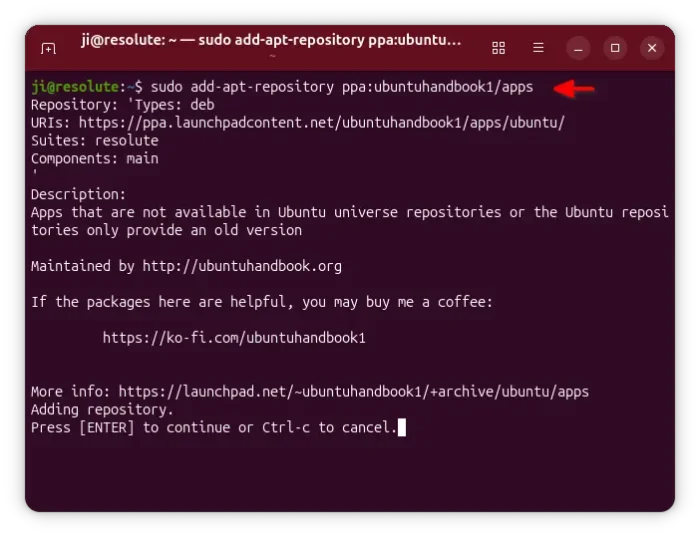
To add the PPA and install the package, launch terminal (Ctrl+Alt+T) and run the commands below one by one:
sudo add-apt-repository ppa:ubuntuhandbook1/apps
sudo apt update
sudo apt install gthumb
For Ubuntu 24.04, Ubuntu 22.04, and Linux Mint 22.x, system provided LibAwaita libraries do NOT meet the minimum gThumb 4.0 requirement. The commands above will however install the latest 3.12.12 version, which was released on the same day as version 4.0.
(Optional) For any reason, you may uninstall the packages by running the command below in a terminal window:
sudo apt remove gthumb gthumb-data
And, remove the PPA repository by running command:
sudo add-apt-repository --remove ppa:ubuntuhandbook1/apps