
Archives For audacity

Audacity, the free open-source audio editor, released new 3.7.8 version yesterday along with the Beta for next 4.0 major release.

The new version introduced some minor new features, improved UI for Linux, and fixed various issues. And, Ubuntu PPA has been updated for those who prefer native .deb package.

Continue Reading…

Audacity, the free open-source audio editor and recording application, released new 3.7.6 version few days ago. PPA updated for all current standard Ubuntu releases.

The new release of this cross-platform (Windows, Linux, and macOS) computer software added the FFmpeg 8.0 multimedia library support.
Continue Reading…

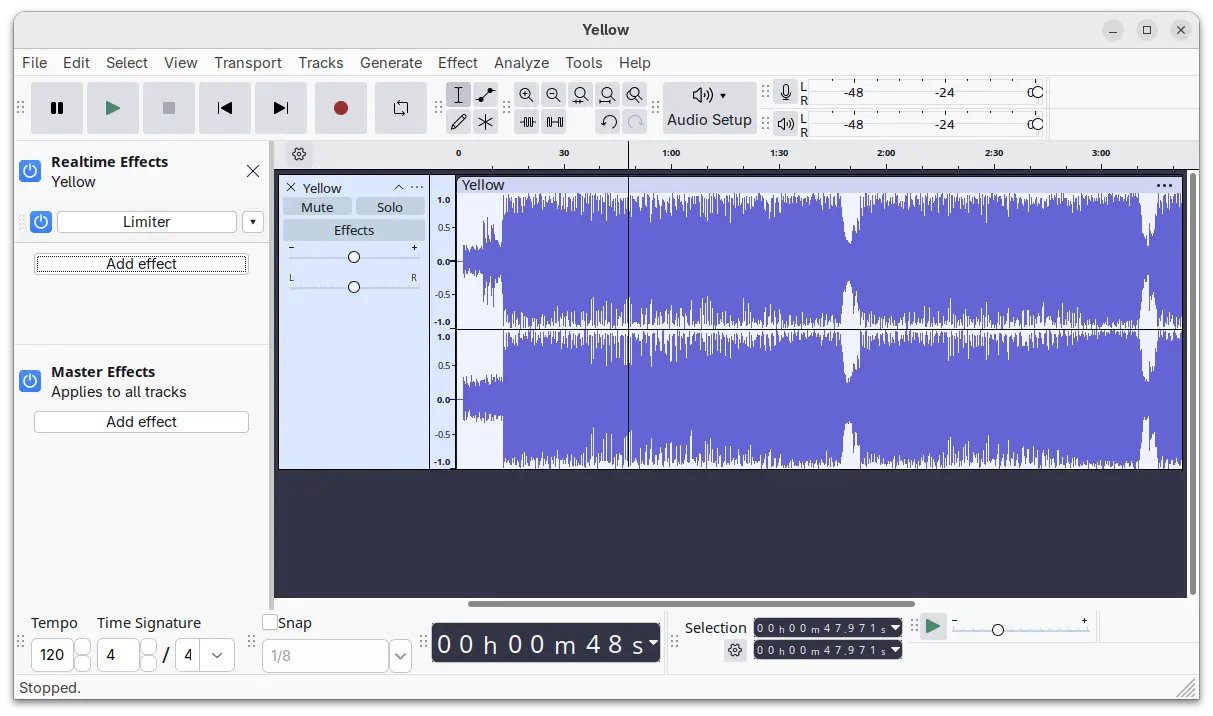
Audacity, the free open-source digital audio editor, released new 3.7.5 version few days ago.

The new release of Audacity added initial Windows on ARM (WoA) support. Meaning user can now run the audio editor in Microsoft Surface, Dell XPS 13, etc machines with Snapdragon X series processors, and of course other devices, e.g., MacBook with Windows 11.
Continue Reading…

Audacity audio editor released new 3.7.2 version today. PPA updated for Ubuntu 22.04, Ubuntu 24.04, Ubuntu 24.10, and Linux Mint 21/22.

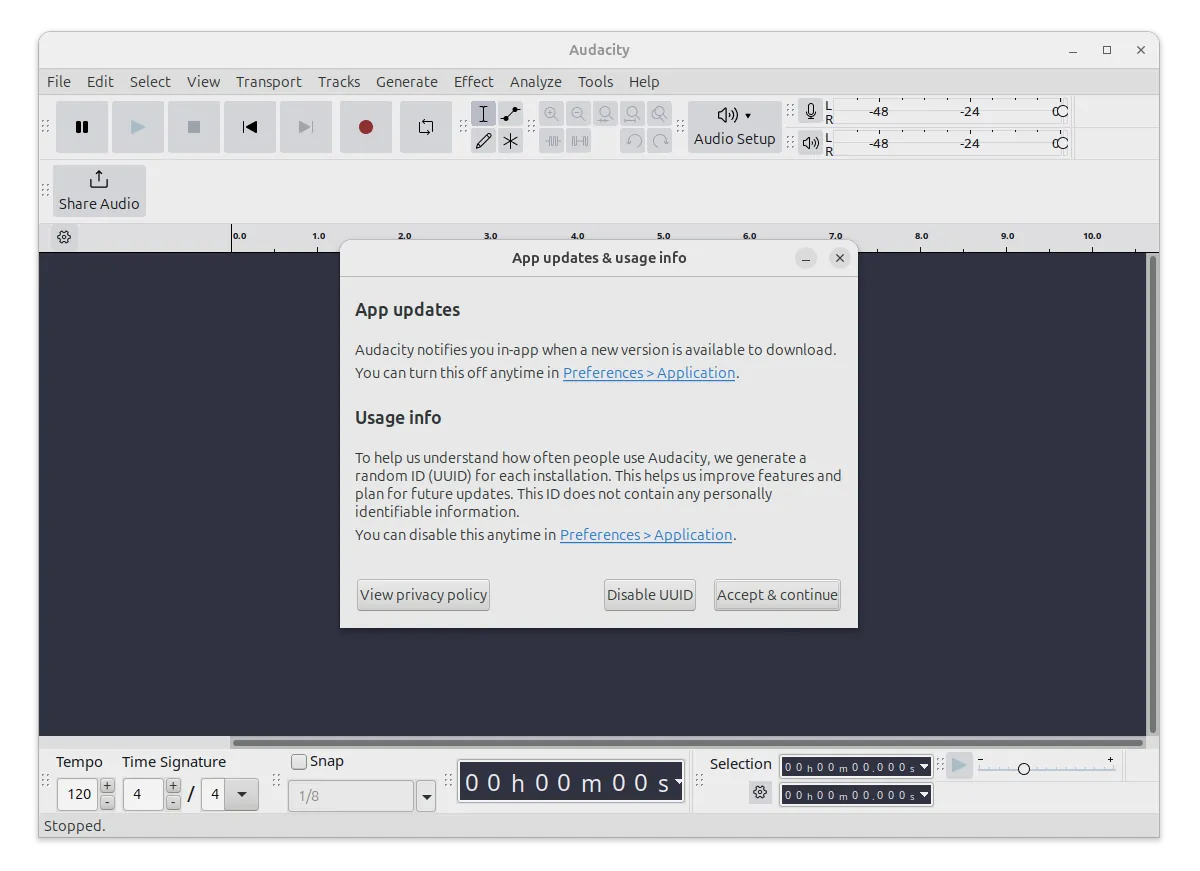
The new Audacity 3.7.2 is a maintenance release contains primarily bug-fixes. There’s however a new UUID system that automatically generates random numbers for each copy of the app.
Continue Reading…

Linux world got some big updates, such as XFCE 4.20, RHEL 10.0 Beta, and Linux Mint 22.1 Beta, in last days. While, many free open-source apps also released updates recently you may care about.

And, here I’m going to introduce some of them for you. They include Audacity 3.7.1, GNU Octave 9.3.0, Scrcpy 3.1, VS Code 1.96, and TeXstudio 4.8.5.

Continue Reading…

Audacity audio editor announced 3.6.2 release a week ago, then version 3.6.3 a day ago with a quick-fix.

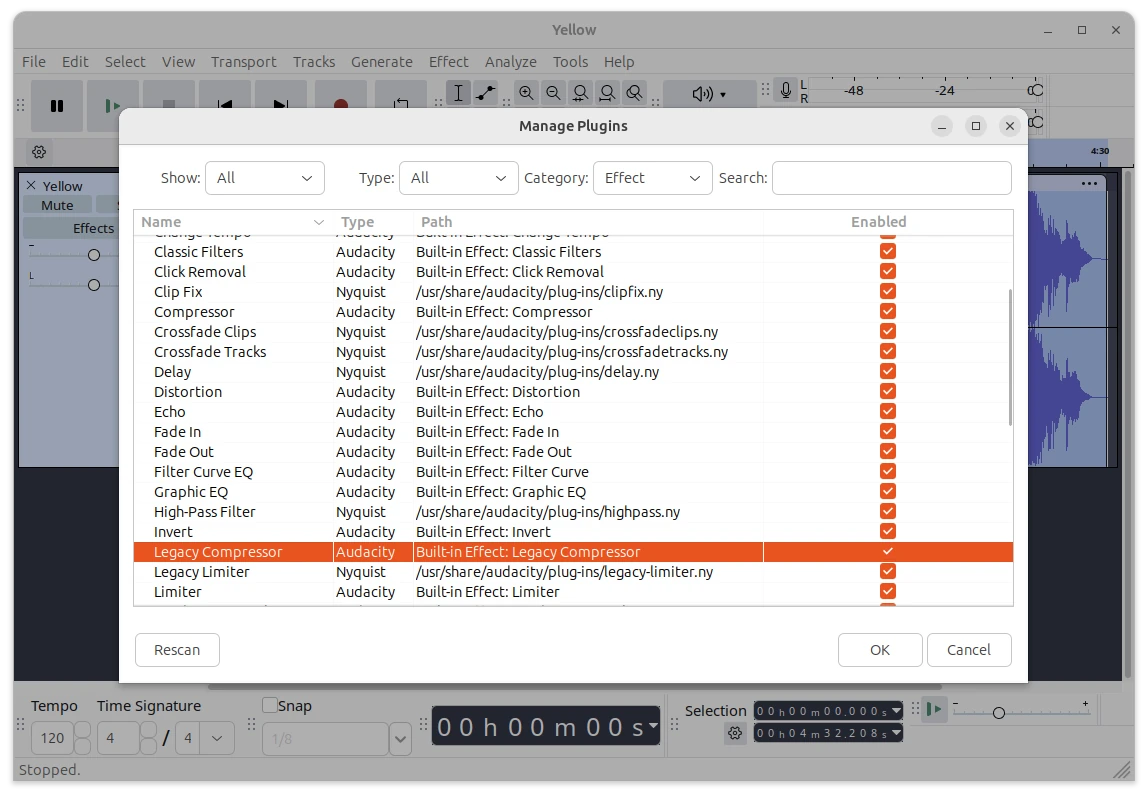
As you may know, Audacity 3.6.0 introduced new compressor and limiter effects, replacing the old ones. For those who prefer the classic effects, the new point release added a “Legacy” effects section, under “Effects” menu, that contains the old Limiter, Compressor and Classic Filters.
Continue Reading…

Audacity audio editor announced new major 3.6.0 release few days ago. Here are the new features and how to install guide for Ubuntu users.

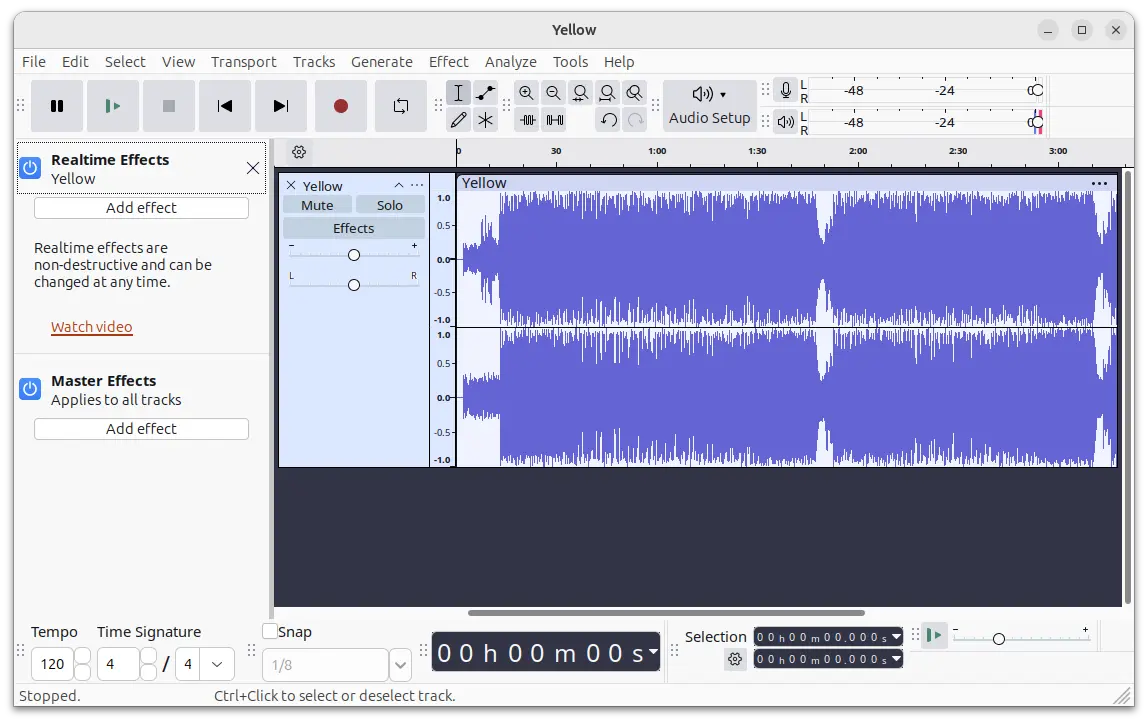
The new release features new Master Effects. By clicking “Effects” button in app window, it will now show you Realtime Effects and Master Effects options for choice. While, the new Master Effects allows to apply effects to the entire project at once.

Continue Reading…

Audacity, the popular free open-source audio editor, release version 3.5.0 (then 3.5.1 with quick-fixes) few days ago.

Audacity 3.5.0 is a major release with new features. They include a new cloud-saving feature. By going to menu ‘File -> Save To Cloud …’, user can save Audacity project to audio.com via a free account. So, user can access the project from any other devices, and/or share and collaborate with others.

NOTE: this feature does NOT work in my PPA package, since it’s built with Debian upstream rule that disables network access! If you do prefer this feature, please leave comment below, or use the official AppImage package instead.


Continue Reading…

Audacity audio editor announced the first point release for the Audacity 3.4.0 feature release today!

The release can now built again in ARM devices and BSD. And, it has various stability and other fixes that 3.4.0 users are urged to upgrade to the new release.

They include:

  • Fix 24-bit recording.
  • Fix a crash with .aup importing.
  • Fix crossfading of clips and tracks.
  • Exporting multiple files honors sample rate settings again.
  • Fix crashes related to external program exports.
  • Ctrl+J is now a standard shortcut for joining clips.
  • Stereo tracks no longer randomly split into mono.
  • When exporting a file, the file extension is now always added
  • Fix a crash when exporting Opus with older CPUs that don’t support AVX.

How to Install Audacity 3.4.1 in Ubuntu:

Option 1: AppImage (official)
It provides official macOS .dmg, Windows .exe, and Linux .AppImage packages available to download at the link below:

For Linux, click expand the “Assets” section and choose download the .AppImage package.

Then, right-click on the .AppImage file and go to its ‘Properties’ dialog. Add executable permission by enable ‘allow executing file as program‘. Finally, right-click on it and select “Run” to launch Audacity.

Forgive me for the old image.

Option 2: Ubuntu PPA

For choice, I’ve uploaded the new release package into unofficial PPA for Ubuntu 22.04, 23.04, and Ubuntu 23.10 with amd64, arm64, and armhf support.

1. First, press Ctrl+Alt+T on keyboard to open terminal. When terminal opens, run command to add the PPA:

sudo add-apt-repository ppa:ubuntuhandbook1/audacity

Type user password (no asterisk feedback) when it asks and hit Enter to continue.

2. For Linux Mint users, you may manually update system package cache by running command:

sudo apt update

3. Finally, install Audacity 3.4.1 either by running theĀ  command below in terminal:

sudo apt install audacity audacity-data

Or, launch ‘Software Updater’ to update from an existing version:

Option 3: Flatpak

Audacity is also available to install as universal Flatpak package, that run in sandbox.

First, press Ctrl+Alt+T on keyboard to open terminal. Then, Ubuntu users can install Audacity as Flatpak by running the 2 commands below one by one:

sudo apt install flatpak
flatpak install https://dl.flathub.org/repo/appstream/org.audacityteam.Audacity.flatpakref

Uninstall:

To uninstall Audacity 3.4.1 PPA package, you have 2 choices:

  • Purge the Ubuntu PPA, which also downgrade the installed packages to the stock versions in your system:
    sudo apt install ppa-purge && sudo ppa-purge ppa:ubuntuhandbook1/audacity
  • Or, remove Audacity package by running command:
    sudo apt remove --autoremove audacity audacity-data

    Then, remove the Ubuntu PPA via command:

    sudo add-apt-repository --remove ppa:ubuntuhandbook1/audacity

To uninstall the Flatpak package, use command:

flatpak uninstall --delete-data org.audacityteam.Audacity

Also run flatpak uninstall --unused to remove useless runtimes.

Audacity audio editor released the Beta version of the next 3.4.0. Here’s how to try it out in Ubuntu.

According to the project release page, the new release now features several music related features, such as switching between hh:mm:ss time and Beats & Measures, and time-stretching clips to align them to a song’s tempo.

The release also features Time stretching. Just hold “Alt” (macOS: Option) while hovering over the top third of a clip edge to stretch it.

The 3.4.0 also features a new export dialog with easier access to options such as sample rate and custom mapping (for 5.1 or 7.1 audio). Additionally, the “Browse” button uses the native file browser now!

New Export dialog

Other changes include:

  • always uses Joint Stereo mode for MP3.
  • Simplified pasting logic, and stereo tracks.
  • uses Conan 2.
  • Built-in Opus support.
  • And stability fixes.

How to Install Audacity 3.4.0 Beta:

Option 1: AppImage
It provides official macOS .dmg, Windows .exe, and Linux .AppImage packages available to download at the link below:

For Linux, click expand the “Assets” section and choose download the .AppImage package.

Then, right-click on the .AppImage file and go to its ‘Properties’ dialog. Add executable permission by enable ‘allow executing file as program‘. Finally, right-click on it and select “Run” to launch Audacity.

Option 2: Ubuntu PPA

For choice, I’ve uploaded the new release package into unofficial PPA for x86_64 (amd64) bit Ubuntu 22.04, 23.04, and Ubuntu 23.10 support.

1. First, press Ctrl+Alt+T on keyboard to open terminal. When terminal opens, run command to add the PPA:

sudo add-apt-repository ppa:ubuntuhandbook1/audacity-unstable

Type user password (no asterisk feedback) when it asks and hit Enter to continue.

2. For Linux Mint users, you may manually update system package cache by running command:

sudo apt update

3. Finally, install Audacity 3.4.0 Beta via command:

sudo apt install audacity audacity-data

Uninstall:

To uninstall Audacity 3.4.0 Beta, you have 2 choices:

  • Purge the Ubuntu PPA, which also downgrade the installed packages to stock versions:
    sudo apt install ppa-purge && sudo ppa-purge ppa:ubuntuhandbook1/audacity-unstable
  • Or, remove Audacity package by running command:
    sudo apt remove --autoremove audacity audacity-data

    Then, remove the Ubuntu PPA via command:

    sudo add-apt-repository --remove ppa:ubuntuhandbook1/audacity-unstable