For Ubuntu 24.04 LTS users, the channel for upgrading to the latest Ubuntu 26.04.1 LTS is now enabled!
The Ubuntu Team announced the upgrade enable-ment yesterday on Sep 29:
The Ubuntu team is pleased to announce that upgrades from Ubuntu 24.04 LTS to Ubuntu 26.04.1 LTS, codenamed “Resolute Raccoon”, are now enabled.
As with all LTS releases of Ubuntu, Ubuntu 26.04.1 LTS represents the consolidation of fixes and improvements identified during the initial launch of Ubuntu 26.04 LTS. That work is now complete, and users of Ubuntu 24.04 LTS will be offered an automatic upgrade to 26.04.1 LTS via Update Manager, rolled out progressively over the coming days.
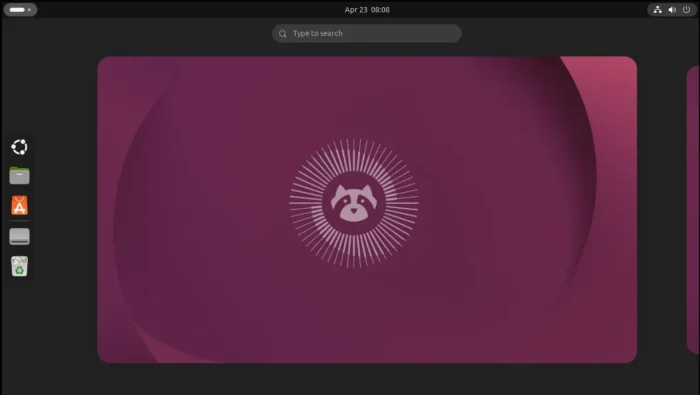
Major Changes in Ubuntu 26.04 Since Ubuntu 24.04
Ubuntu 26.04 so far uses the same Linux 7.0 Kernel as Ubuntu 24.04.5. But as time goes on, 26.04 will have newer HWE Kernels, such as Linux 7.3.
The default GNOME desktop has been updated from version 46 to 50, while, the classic Ubuntu on Xorg session is completely removed. User who still rely on X11 needs to switch to another desktop environment, such as MATE, XFCE4.
The release features several new default applications. They include:
- Resources system monitor,
- Showtime video player,
- Ptyxis terminal emulator,
- and, new Security Center.
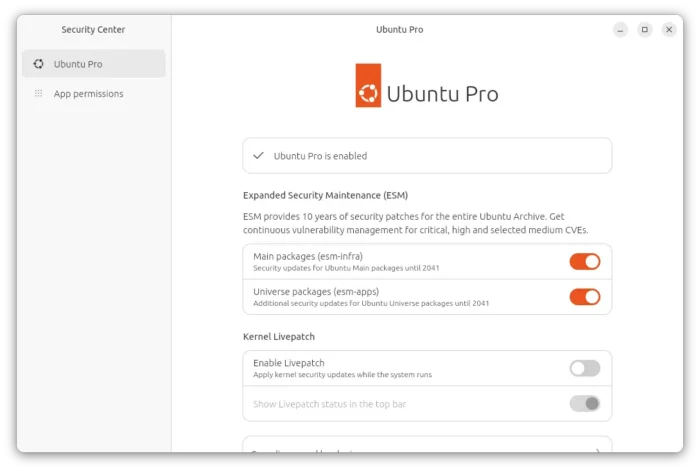
New Security Center
The Software & Updates (along with “Additional Drivers”) utility is no longer pre-installed, though it’s still available in App Center.
The Startup Applications tool has been removed, instead, it uses Settings -> Apps to manage the auto-start permissions. For scripts and custom auto-start options, see this guide for details.
Other changes include:
- New folder icons and fonts.
- New Rust-based sudo implementation.
- Screen time support and more parental controls.
- Battery charge limit support.
- Ubuntu Pro support on WSL.
- Variable Refresh Rate (VRR) for supported hardware.
- And, many toolkit updates.
- See release note for details.
How to upgrade from Ubuntu 24.04 to 26.04.1
NOTE: backup your important data before upgrading, as it has the potential (though rarely) to break you system, e.g., due to a power or internet interruption.
As mentioned in the announcement, the automatic update will be rolled out progressively over the coming days.
Without waiting for the upgrade pop-up, you can launch Software Updater, install all available updates, restart if it prompts and finally re-launch Software Upgrader for the Upgrade button.
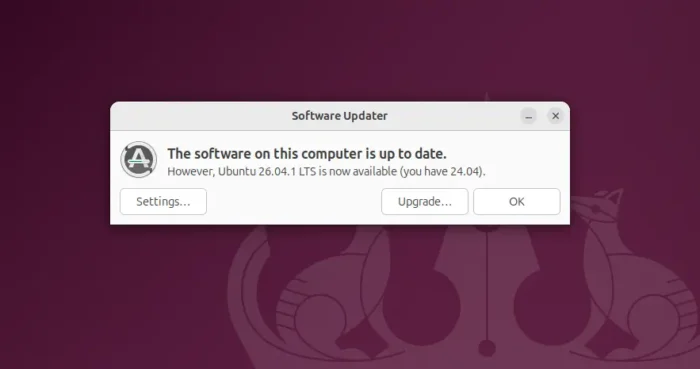
While Ubuntu 24.04 Server can run the do-release-upgrade command instead to start the upgrading process.