ultrastardeluxe

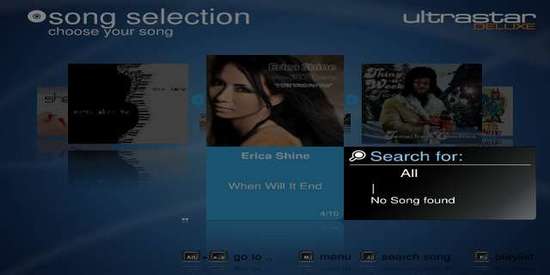
UltraStar Deluxe is a free video singing game. It allows up to six players to sing along with music using microphones in order to score points, depending on the pitch of the voice and the rhythm of singing.

The UltraStar Deluxe official ppa repository is not available for Ubuntu 13.04. You can install the DEBs for Ubuntu 12.04 and it runs well on my laptop with 32-bit system.

To download the DEBs, you may check 32-bit or 64-bit by going to top-right shutdown menu and choose ‘About This Computer’.

Then download UltraStar Deluxe Deb for 32-bit or 64-bit, and date package.

After that, press Ctrl+Alt+T to open a terminal window:
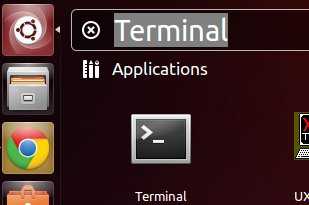
Open Terminal to run commands

Install downloaded package via below command:

sudo dpkg -i ~/Downloads/ultrastar-deluxe*.deb; sudo apt-get -f install

Enjoy!

UltraStar Deluxe is a free and open-source singing game. It allows up to six players to sing along with music using microphones in order to score points, depending on the pitch of the voice and the rhythm of singing.

Objectives:

  • Install UltraStar Deluxe on Ubuntuor Linux Mint
  • Enjoy!

There used to be a PPA repository maintains the game packages for Ubuntu & Linux Mint users, which however has no longer been updated for years.

For the most recent 2025.2.1 release, it can be installed by using Flatpak package which runs in sandbox environment.

Tips: Linux Mint 21/22 may simply launch Software Updater, then search & install the UltraStar Deluxe package.

While, Ubuntu users may run the 2 commands below one by one to install:

  • First, install the flatpak daemon package:
    sudo apt install flatpak

    For old Ubuntu 18.04, add this PPA first for the updated Flatpak package.

  • Then, run command to install the game package:
    flatpak install https://dl.flathub.org/repo/appstream/eu.usdx.UltraStarDeluxe.flatpakref

After installation, either search & launch the game from system application launcher (may need a log out and back in), or run the command below in terminal instead:

flatpak run eu.usdx.UltraStarDeluxe

(Optional) To uninstall the package, use command (Ctrl+Alt+T):

flatpak uninstall --delete-data eu.usdx.UltraStarDeluxe

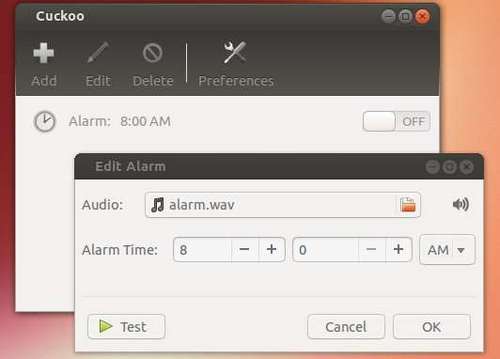
Install Cuckoo Alarm Clock on Ubuntu 13.04

Last updated: July 17, 2013

Cuckoo is a simple alarm application that is designed specifically for Ubuntu. It supports the Ubuntu Unity Launcher, HUD, and Indicator interfaces which allows for you to control Cuckoo faster.

Objectives:

  • Install Cuckoo Alarm Clock app on Ubuntu
  • Enjoy!

Since cuckoo is no longer available in Ubuntu Software Center, you can install it from the ppa repository. Press Ctrl+Alt+T to open terminal.

Open Terminal to run commands

Then run below 3 commands one by one to install cuckoo:

sudo add-apt-repository ppa:john.vrbanac/cuckoo

sudo apt-get update

sudo apt-get install cuckoo

If you don’t want to add the ppa, download the DEB from the link below:

cuckoo_1.0.8-1~raring_all.deb

Then install it via:

sudo dpkg -i ~/Downloads/cuckoo_*.deb; sudo apt-get -f install

cuckoo-alarm

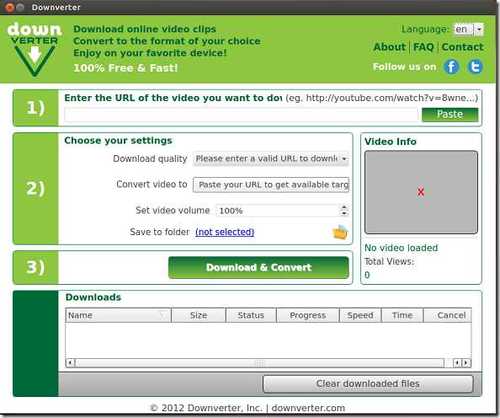
DownVerter is a popular Youtube downloader which also has the ability to convert videos to MP3, M4A, MPEG, 3GP, OGG and other formats. It’s free!

Objectives:

  • Install DownVerter Youtube downloader and fix can not open error.
  • Enjoy!

To get started, download DEB package from the official site. You may check 32-bit or 64-bit via ‘Details’ utility.

DownVerter for Linux

Then press Ctrl+Alt+T to open terminal.

Open Terminal to run commands

Run below command to install the package:

sudo dpkg -i ~/Downloads/downverter*.deb

That’s it. The installed executable script is /opt/downverter/Downverter. But Ubuntu keeps looking for /opt/downverter/downverter when you open Downverter from Unity Dash. To fix this problem, run below commands to rename it:

sudo mv /opt/downverter/Downverter /opt/downverter/downverter

Then give executable permission:

sudo chmod +x /opt/downverter/downverter

Enjoy!

downverter

This simple tutorial will show you how to install the Spotify Client on Linux Mint 13, 14, 15 from the official repository.

Spotify is a digital music-streaming service that gives you on-demand access to millions of songs on all your devices. It works on Windows, Mac, Linux, Android, iOS, Windows Phone 7/8 (7 no longer updated), BlackBerry (GSM only), Symbian.

To install it from the official repository, press Ctrl+Alt+T to open terminal.

1.) Run below command to add the repository to Linux Mint:

sudo sh -c 'echo "deb [signed-by=/etc/apt/keyrings/spotify.gpg] http://repository.spotify.com stable non-free" >> /etc/apt/sources.list.d/spotify.list'

add spotify repository to linuxmint

2.) Install the public key:

wget -qO - https://download.spotify.com/debian/pubkey_C85668DF69375001.gpg | gpg --dearmor | sudo tee /etc/apt/keyrings/spotify.gpg

install spotify key linuxmint

3.) Finally update package lists and install spotify:

sudo apt-get update; sudo apt-get install spotify-client

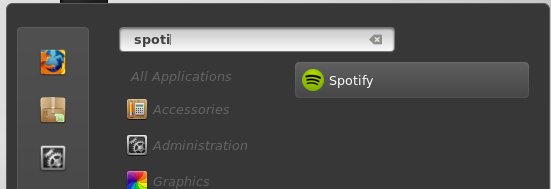
spotify in linuxmint

Enjoy!

How to Install uTorrent on Linux Mint 15

Last updated: July 16, 2013

Here’s a beginner’s guide to install and setup uTorrent server on Linux Mint 15. There’s no command in tutorial, just a few clicks!

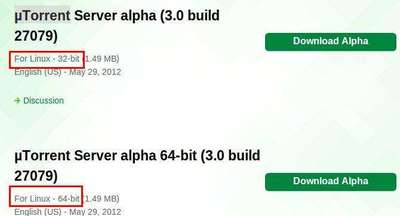
1.) First, download uTorrent server for Linux: www.utorrent.com/downloads/linux. You may check 32-bit or 64-bit by going to Start Menu -> System Tools -> System Settings -> System Info. Where “Distribution Linux Mint 15: olivia (i686)” means 32-bit. x86_64 means 64-bit system.

download-utorrent

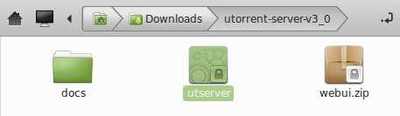
2.) Decompress the package in Downloads folder, then navigate to the extracted folder.

utorrent-server-folder

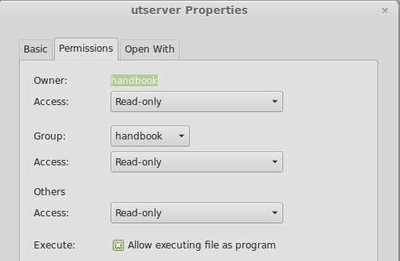
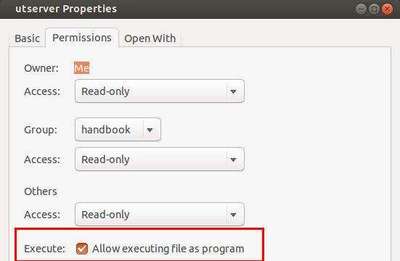
3.) Right-click on utserver and goto its Properties window. Make sure “Allow executing file as program” is checked.
utsever-executable-linuxmint

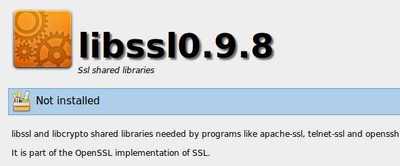
4.) Before running the utserver, install ssl share libraries from Start Menu -> Software Manager.

install ssl shared libraries

5.) Now double-click on utserver file to start it. That’s right you see nothing happens because the server is running as a background program.

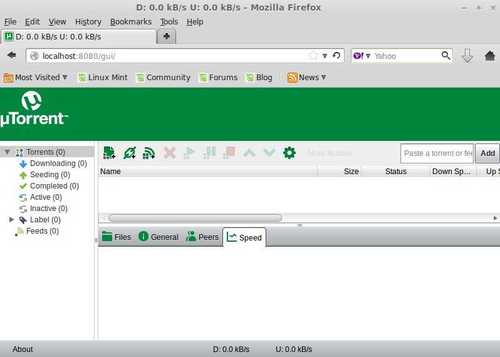
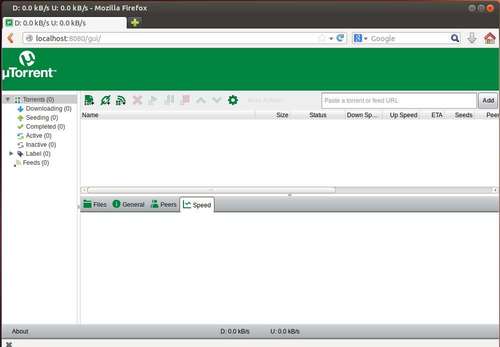
6.) Open your file browser and go to http://localhost:8080/gui/. Type:

username: admin
password: leave password empty

utorrent

Done!

Install uTorrent on Ubuntu 13.10

Last updated: November 3, 2013

This tutorial shows you how to easily install uTorrent sever on Ubuntu and Linux Mint. There’s no command, just a few clicks!

First, download uTorrent server: http://www.utorrent.com/downloads/linux. Check 32-bit or 64-bit by top-right corner shutdown menu (gear icon) -> About This Computer.

download-utorrent

After downloading, navigate to the package in Nautilus file browser. Then decompress it.

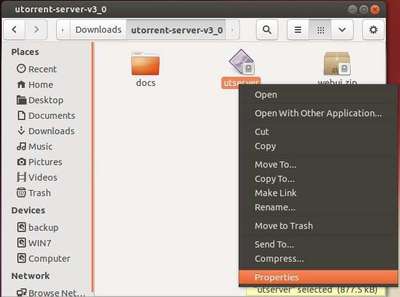
Go into the extracted folder, right-click on utserver and select Properties.

utserver-executable

Make sure that the box before “Allow execute as a program” is checked.

utserver-executable1

Before starting this service, search for and install libssl0.9.8 (SSL shared libraries) from Ubuntu Software Center.

NOTE: If you’re on 64-bit Ubuntu, press Ctrl+Alt+T and install the libssl0.9.8 with command below in terminal to fix utserver not launching problem:

sudo apt-get install libssl0.9.8:i386

Then double click utserver to start uTorrent server (or run ~/Downloads/utorrent-server-v3_0/utserver command to start it). That’s right you see nothing happens because the server is running as a background program.

Launch your web browser and go to http://localhost:8080/gui/. Type:

username: admin
password: leave password empty

You’re done!

utorrent client in firefox

This brief tutorial will show you how to install the Rigs of Rods on Ubuntu 13.04 Raring and Linux Mint using the official repository.

Rigs of Rods (“RoR”) is an open source multi-simulation game which uses soft-body physics to simulate the motion and deformation of vehicles. The game was built using a specific soft-body physics engine called Beam, which simulates a network of interconnected nodes (forming the chassis and the wheels) and gives the ability to simulate deformable objects. With this engine, vehicles and their loads flex and deform as stresses are applied. Crashing into walls or terrain can permanently deform a vehicle.

The official ppa repository for Ubuntu 12.04 has been announced. So far it supports Ubuntu 13.04, 12.10, 12.04 and 11.10. Here’s how to install it:

Press Ctrl+Alt+T to open terminal, run command to add the ppa:

sudo add-apt-repository ppa:aapo-rantalainen/rigsofrods

rigs of rogs official repository

Then update package lists and install the package:

sudo apt-get update; sudo apt-get install rigsofrods

install rigs of rods ubuntu

Discuss: http://www.rigsofrods.com/threads/97932-Announcement-PPA-for-Ubuntu-12-04