KDE Gear 26.08, the new release of KDE’s official collection of applications, is available after four months of development.
The new version of this KDE app collections includes many new features and improvements to the Dolphin file explorer, KDE connect, Kdenlive video editor, Konsole terminal emulator, and others.
Dolphin
The Dolphin file explorer app has been updated with a dedicated “Focus Other View” action. It’s a replacement of “Switch between views with Tab key”, that moves the keyboard focus to the inactive split view. When there is no other view, split view is triggered instead.
The Filter Bar now explicitly supports Plain Text, Glob, and Regular Expression matching, plus case-sensitive matching, while providing visual feedback for invalid patterns.
When exploring files on your phone from Dolphin, you can now click on the new Open KDE Connect button at the top of the window to open the KDE Connect app.
Other Dolphin changes include new Close Tabs to the Left/Right context menu option to quickly close all tabs on one side from the current, new restore view properties to defaults button, ability to group files and folders independently, and directory-specific zoom level support when global view properties are disabled.
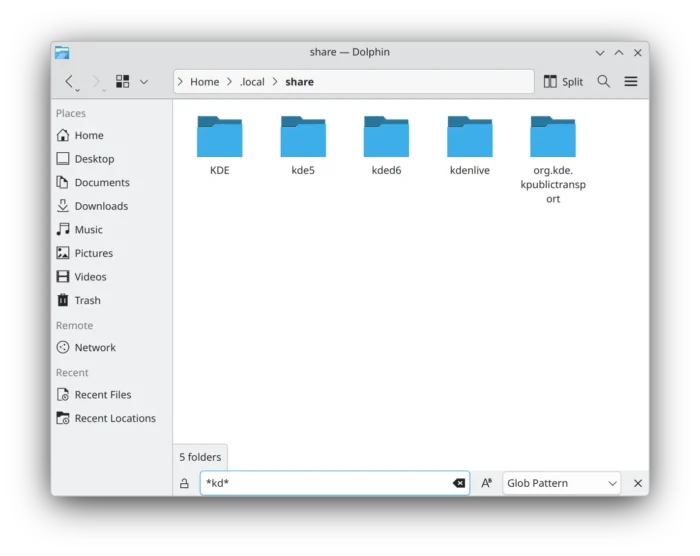
Dolphin filter bar now explicitly supports Plain Text, Glob, and Regular Expression matching
KDE Connect
The KDE Connect app now supports for modifier keys as special keys, and supports sending the Meta key through its Remote Input/Remote Keyboard feature.
It added a KDE Connect Devices category to remote:/, making KDE Connect devices discoverable and accessible through KIO-based file managers, including the new Dolphin button mentioned above.
Other changes include display battery and network information, connection timeouts to prevent port leaks, drag-and-drop fix on macOS, and support building against OpenSSL 4.0.
KDenlive
The KDenlive video editor in the release has been updated with “Copy Selection to New Sequence”, “Replace Clip” context menu option, and duplicate clip action in timeline editing.
It added gap detection, ability to insert timeline content at a specified timecode position, as well as moving tracks up/down while keeping associated audio/video tracks together.
It as well added copy/paste support for elements in the title editor, per-channel support to the Curves effect, WebP image-sequence support, 1366×768 profiles, as well as many other exciting new features.
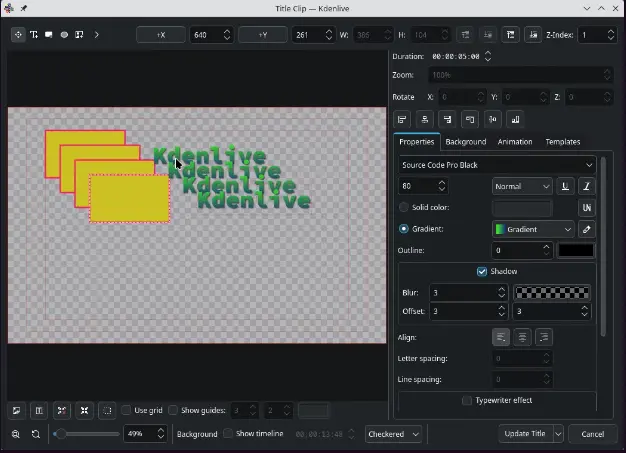
Kdenlive title editor
Konsole
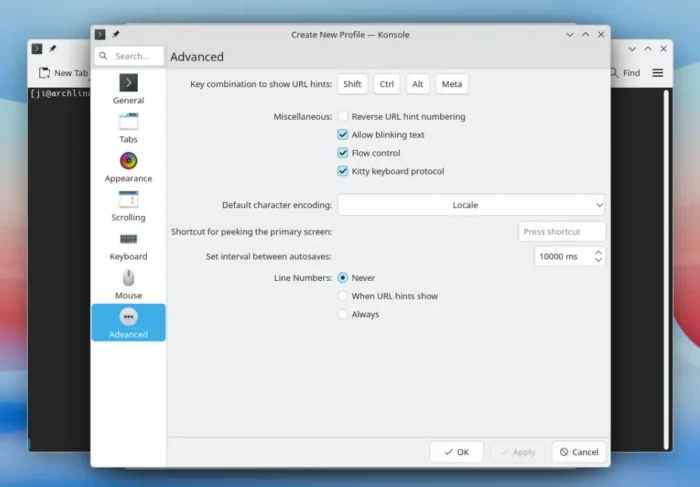
The terminal app now has Kitty keyboard protocol support, which can be enabled and configured in profile settings.
It improved hyperlink interaction by allowing to copy, open, and drag URLs detected through terminal escape sequences, while normal URL and color-filter hotspots gain copy and drag actions.
It as well added the ability to paste using the right mouse button, badge overlay feature allowing a visual indicator/badge to be displayed on a terminal/session. And, user profiles can now automatically switch based on the system light/dark theme.
Okular
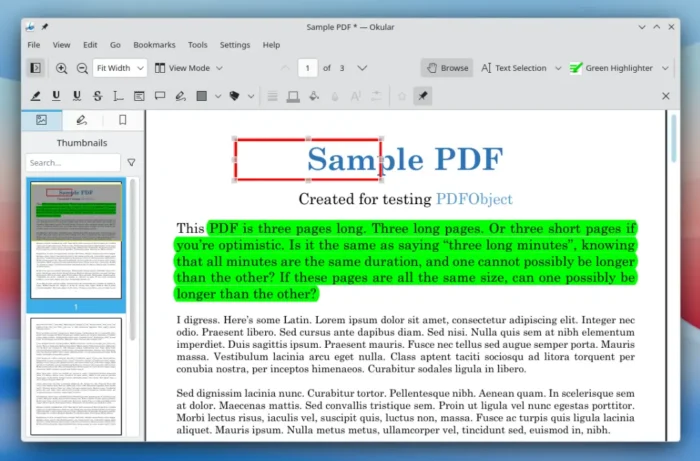
The document viewer application features safer and more robust PDF signing. It now prevents saving, adding signatures, or selecting the current document while a signing operation is in progress.
It improved handling of untrusted certificate roots and made warnings about untrusted signatures more noticeable. It also improved PGP certificate display and export handling and added support saving certificates as .asc files.
For annotations and text selection, it added a new Open action for embedded files, copy and paste annotations support, and ability triple-click to select an entire line.
Other changes in KDE Gear 26.08 include:
- Add
.desktopfile for Akonadi’s integration with KDE Online Accounts. - Add Python bindings for Akonadi PIM data service.
- Alligator gains support deleting old articles after a feed reaches a specified number of stored articles.
- Ability to hide holidays in the calendar month view.
- Add even start and end times control in the calendar month view.
- Add a limit on how many podcast episodes Kasts can download simultaneously.
- KSMTP RFC 6532 support for non-English headers.
- Add option to quit KTorrent to shutdown plugin.
There are as well tons of other changes and improvements, see either the official announcement or changelog for details.
Get KDE Gear 26.08
The new version of these KDE applications have been made into Fedora 45/Rawhide and Arch Linux repositories. And, Ubuntu will likely build them for the next Ubuntu 26.10.
For the source tarballs, go to KDE website via the link below: