Archives For Howtos

How to Install Kvantum to Theme Qt6/Qt5 Apps in Ubuntu

Published: February 23, 2024 — Last updated: October 14, 2025 — 1 Comment

This simple tutorial shows how to install and use Kvantum theme engine to change themes for your Qt5 and Qt6 applications in Ubuntu 20.04, Ubuntu 22.04, Ubuntu 24.04, Ubuntu 25.04, and 25.10.

GNOME Desktop uses GTK toolkit for its applications and KDE/LxQt uses Qt toolkit instead. These apps work on each other desktop environment, but may NOT look native.

To unify the look and feel, Fedora Qt developer team has QGnomePlatform, adwaita-qt, and QAdwaitaDecorations projects to make Qt apps look better in GNOME. So far, only QAdwaitaDecorations is in active development for implementing Adwaita-like window header and border for Qt apps.

For Qt app window color, buttons, and other components, Kvantum is good choice to do the job.
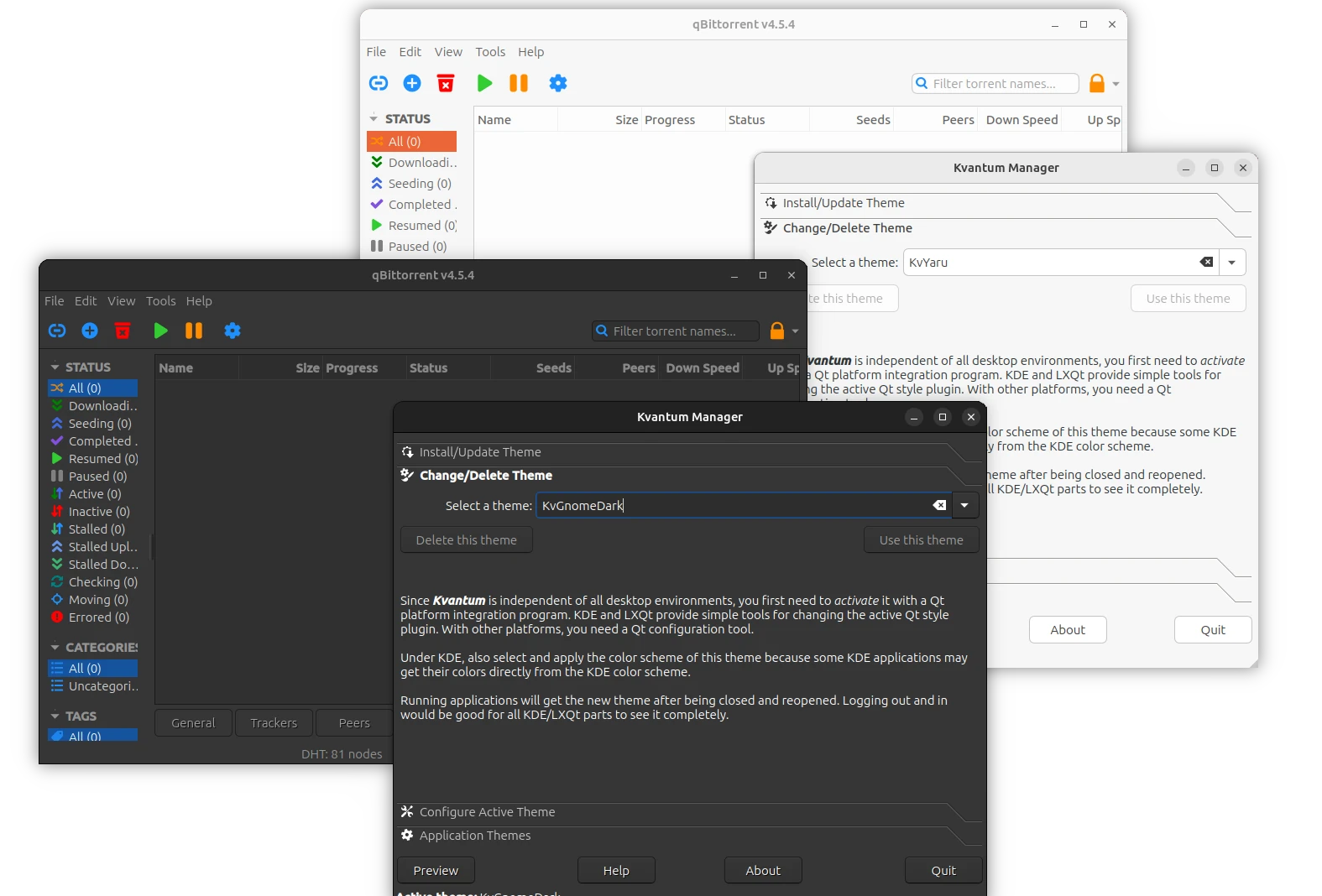
qBittorrent (Qt6) with Kvantum theme in Ubuntu

Continue Reading…

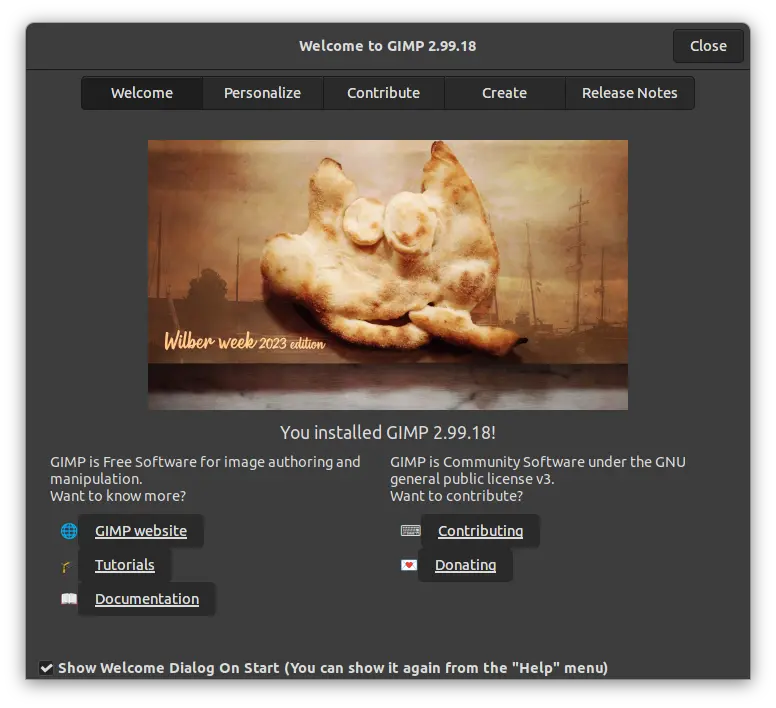
GIMP image editor announced the new 2.99.18 development release today. It’s marked as the last dev release for the next major 3.0 version.

The new release has a new welcome dialog, with Personalize tab to set your favorite theme, icon and font scaling, and select program language, Contribute tab with a few links for who want to contribute to GIMP, and Create tab with quick buttons to create, open, open recent images. It as well has an option to enable on every start.

Continue Reading…

Gambas released new 3.19.0 few days ago. Here’s the new features and how to to install guide for Ubuntu users!

Gambas is a full-featured object-oriented language and development environment built on a BASIC interpreter. It’s made up of a compiler, interpreter, archiver, scripter, development environment, and many extension components, for easily developing command-line, GTK2/GTK3, Qt, Database, Web, SDL applications.

The latest version so far is Gambas 3.19.0 that includes many exciting new features. First, as you see above, it has a new app icon that’s called gambas-thin. Though, I personally prefer the old one a bit more.

old gambas3 icon

The new release brings huge improvements to interpreter, to make it faster than Python, Perl and Java interpreters in all benchmarks!
Continue Reading…

How to Disable Mobile Broadband Menu Option in Ubuntu 22.04

Published: February 13, 2024 — Last updated: May 5, 2024 — Leave a comment

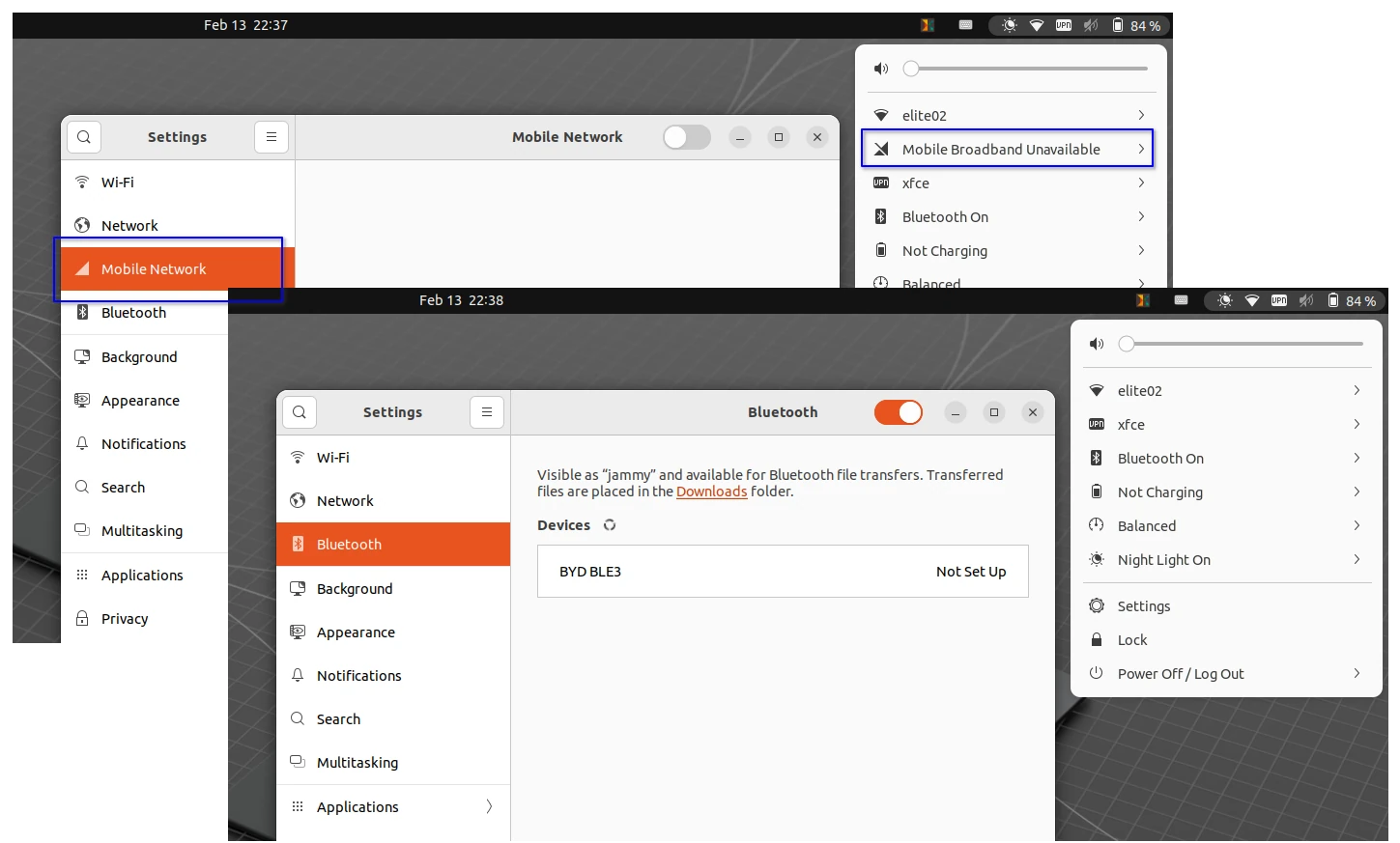
This simple tutorial shows how to get rid of the “Mobile Broadband” menu option from the upper right system status menu in GNOME Desktop.

GNOME, the default desktop in Ubuntu and Fedora Workstation, has built-in support for mobile broadband. If your computer (usually laptop) has a built-in SIM card slot, then it will show you the “Mobile Network” page in Settings and “Mobile Broadband” option in upper right menu.

For those who rarely use this feature, the option is useless but makes the menu longer. So, it’s a good choice to completely disable it!


Continue Reading…

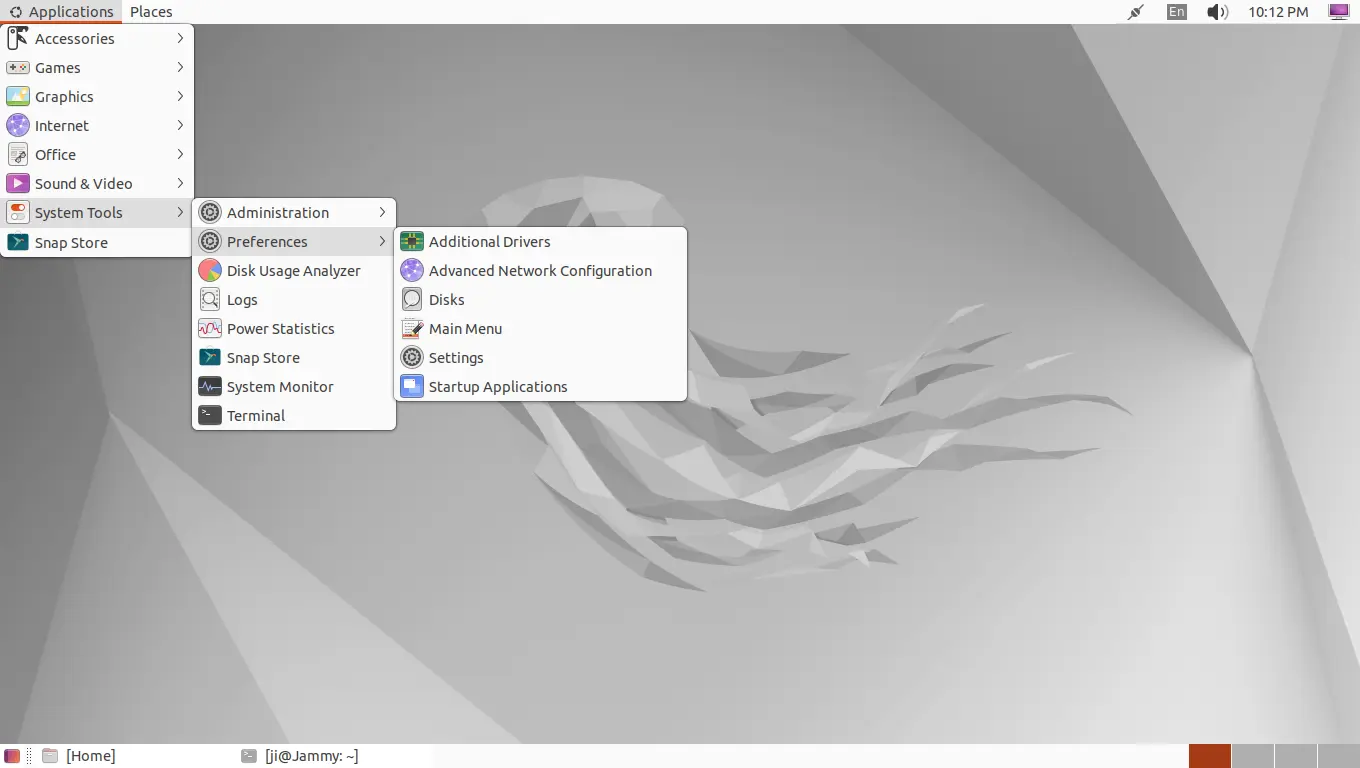
How to Get Classic GNOME 2 Session in Ubuntu 22.04 & 24.04

Published: February 13, 2024 — Last updated: February 13, 2024 — 3 Comments

This simple tutorial shows how to install and enable the Classic Gnome 2 style desktop session in Ubuntu 22.04 and/or Ubuntu 24.04.

Though the title said for Ubuntu, this tutorial also works in Debian 12 & 11. Fedora, Arch, and their based systems also have corresponding packages for the similar job.

As far as I know, there are 3 ways to get back the classic Gnome 2 layout. They include:

  • Option 1: gnome-flashback -traditional desktop session based on GNOME technologies.
  • Option 2: gnome-shell-extensions – Classic Gnome 2 layout through some Gnome Shell extensions.
  • Option 3: MATE Desktop – a free open-source fork and continuation of Gnome 2 Desktop.

Option 1: Gnome Flashback


Continue Reading…

How to Rotate Images in Ubuntu 22.04

Published: February 12, 2024 — Leave a comment

This is a beginner’s guide shows you how to rotate your images using either a Linux command or built-in apps such as file manager and image viewer.

Option 1: Rotate an image using built-in image viewer

If you want to change the orientation for only a few photo images, then the built-in image view is always the best choice.

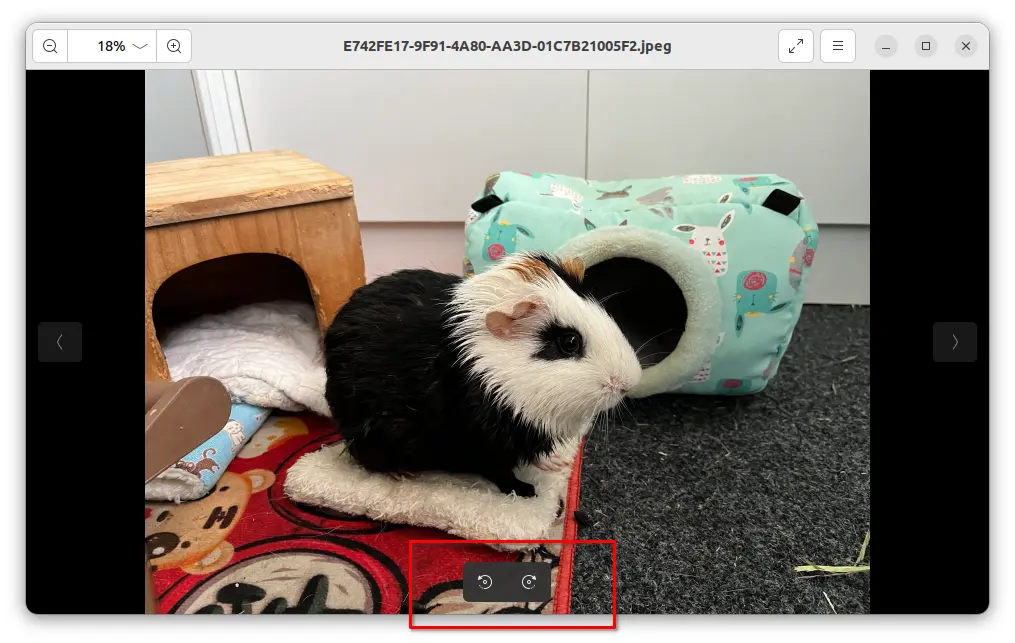
Simply click open your image file through the image viewer. Move mouse cursor over the app window, then you’ll see the buttons to rotate to the left and rotate to the right in bottom.

The image viewer app varies depends on your desktop environment, the rotate options may be available other-where such as in app menu.

After rotated your image, either click Save (Ctrl+S) to override the original image file, or choose Save as (Ctrl+Shift+S) to save the rotated image as another file.


Continue Reading…

GNOME 46 reached UI, ABI/API, and feature freeze stage today. Let’s see the top new features in this popular desktop environment.

GNOME 46 will be the default desktop environment for Fedora 40 Workstation, Ubuntu 24.04, and optional in Arch, Manjaro, etc Linux.

It continues polish the desktop appearance by redesigning the improving the core app experiences.

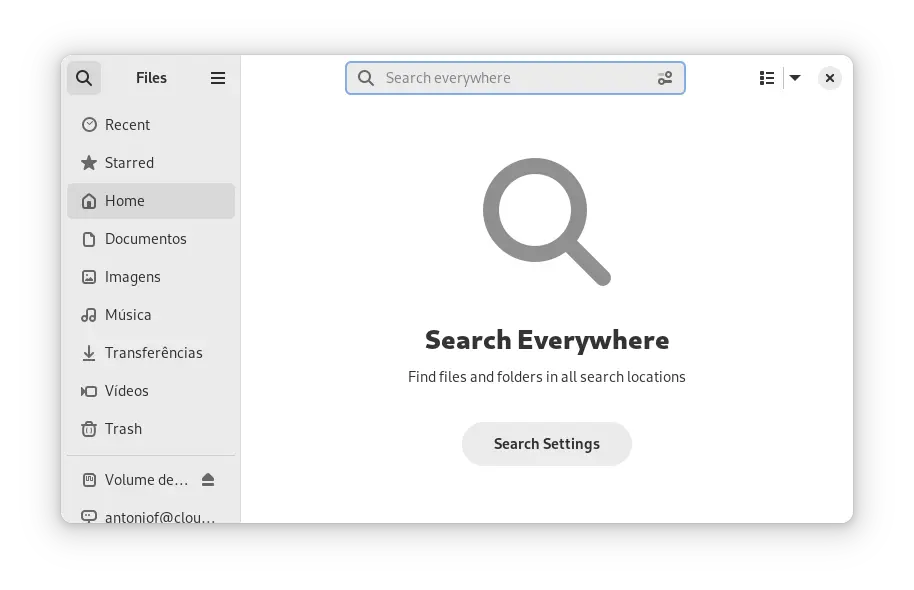
GNOME Files, aka Nautilus, to have explicit Global Search mode, allowing to find files and folders in all search locations. And a “Search Settings” button is available to filter search results.


Continue Reading…

How to Install GO (golang 1.27) in Ubuntu 26.04 | 24.04 | 22.04

Published: February 7, 2024 — Last updated: August 25, 2026 — 4 Comments

Go programming language announced the new 1.27 release on 19 August 2026! Here’s the new features and how to install guide for Ubuntu & other Linux.

What’s New in Go 1.27:

  • New generic methods that can now declare their own type parameters.
  • Add encoding/json/v2 package with stricter defaults and significantly faster unmarshaling.
  • Add crypto/mldsa package implements ML-DSA (FIPS 204.
  • New uuid package for generating and parsing UUIDs.
  • New portable simd package (experimental).
  • goroutineleak is now a generally available.
  • Compiler tools now support @file response files.
  • go test runs the stdversion vet check by default.
  • go doc gains package@version and executable-example support.
  • The big-endian 64-bit PowerPC port now uses the ELFv2 ABI.
  • Update unicode 15 to 17.

See the announcement for more changes in Go 1.27.

Continue Reading…

Enable Fingerprint Reader in Ubuntu 26.04, 24.04, 22.04 for ThinkPad T480s

Published: February 6, 2024 — Last updated: August 18, 2026 — 52 Comments

This is a step by step guide shows how to enable fingerprint reader support for Lenovo ThinkPad T480/T480s, X1 Carbon 6th gen, X1 Yoga 3rd gen, X280, etc with 06cb:009a device in Ubuntu 22.04, Ubuntu 24.04, Ubuntu 25.10, and Ubuntu 26.04.

Ubuntu has fingerprint reader support out-of-the-box using libfprint, and provides option to enable fingerprint login in Users settings page. However, the library has a list of unsupported devices, including 06cb:009a that’s built-in in my used ThinkPad T480s laptop.

Thankfully, there’s a free open-source alternative python-validity that works in my case. Here’s how to install and set it up in Ubuntu 22.04 and higher, while Ubuntu 20.04 is also supported.

UPDATE: For Ubuntu 26.04 LTS, there’s now a patched version of libfprint library to make life easier! See how to section in this tutorial.

Step 1: Tell Which Fingerprint Reader device your laptop have

First of all, you may press Ctrl+Alt+T on keyboard to open up a terminal window.

Then run command to find out the device name of your fingerprint reader:

Continue Reading…

How to Set Battery Charge Limit in Ubuntu 22.04 & 24.04

Published: February 6, 2024 — Last updated: September 5, 2026 — 10 Comments

This is a step by step beginner’s guide shows how to configure your Ubuntu laptop to limit the maximum battery charge level.

For those who keep laptop plugged in for long term, it’s better to set battery charge limit to reduce the battery wear by constantly trickle charging.

Linux Kernel supports battery charge threshold, and there’s a merge request to provide graphical UI options in Gnome Control Center. Until GNOME officially support this feature, you can follow this tutorial to do the job step by step.

Continue Reading…